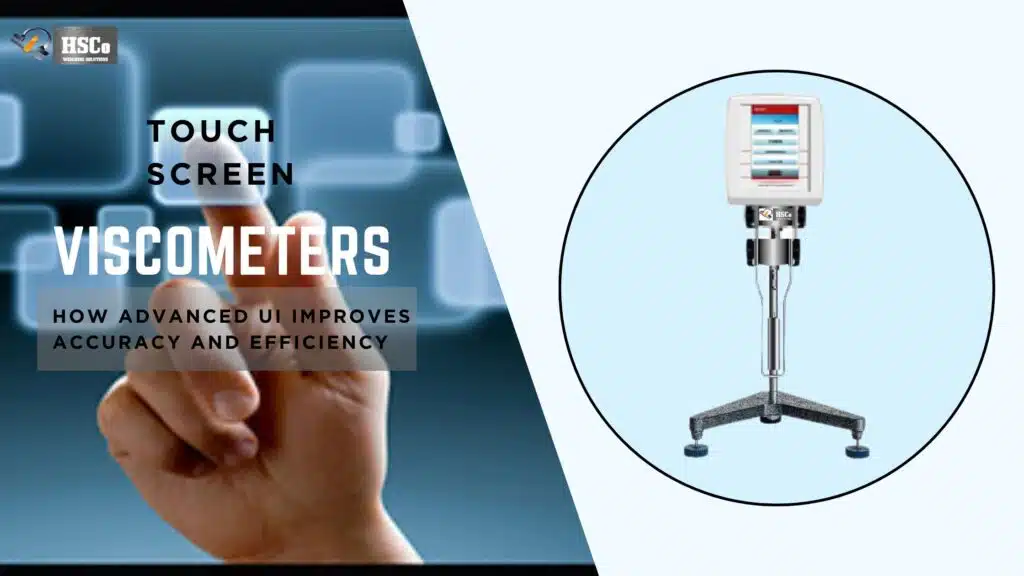
In today’s labs, viscosity testing is no longer just about getting a number and moving on. For QA, QC, and production teams, what really matters is traceability knowing when a test was run, how it was performed, who performed it, and where the data is stored. That’s where connectivity in Hsco touchscreen viscometers makes a real difference.
Check the viscometer's data connection
Compare HSCo's density and viscosity meters. Send the required output and receiving software details, and ask the team to confirm the connection for the quoted model. Compare viscometers
USB, RS232 and WiFi features may sound technical at first. But in everyday lab work, they simply make testing more reliable, organized and audit-ready. Let’s break down how these connectivity options improve traceability in practical, real-world terms.
What Traceability Really Means in Viscosity Testing
Traceability is the ability to track every viscosity result back to its source. In regulated or quality-driven environments, this is essential.
Good traceability answers questions like:
- Which instrument was used?
- What test method and settings were applied?
- Who ran the test and when?
- Has the facts been modified or copied efficiently?
Without right connectivity, these statistics often live in notebooks, spreadsheets, or handwritten logs, places where mistakes can creep in without difficulty.
Why Connectivity Matters in Modern Touchscreen Viscometers

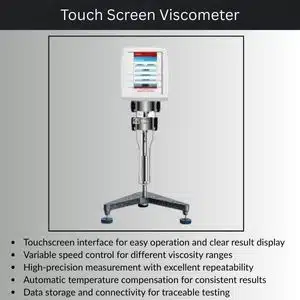
Touchscreen viscometers already make checking out less complicated thru guided menus and stored methods. When you add USB, RS232 or WiFi connectivity, the device turns into a part of a related records machine as opposed to a standalone device.
This connection allows records to move easily from the viscometer to computer systems, servers, or first-rate software program with out guide steps. Fewer guide steps mean fewer mistakes and higher traceability.
USB Connectivity: Simple, Reliable, and Widely Used
How USB Improves Traceability
USB is regularly the very best manner to transfer facts. Results stored on the viscometer can be exported without delay to a USB power in seconds.
This allows by means of:
- Preserving unique check records exactly as recorded
- Avoiding guide retyping of consequences
- Keeping time-stamped statistics intact
Practical Lab Example
A QC lab strolling each day batch assessments saves viscosity effects to a USB pressure at the end of every shift. The document is then uploaded to the company’s first-class device. The facts remains unchanged, definitely categorized, and easy to retrieve during audits.
When USB Works Best
USB is ideal for labs that:
- Don’t want live facts transfer
- Prefer bodily backups
- Want a simple, no-network setup
RS232 Connectivity: Trusted for Direct System Integration
What RS232 Is Used For
RS232 is an extended-status verbal exchange general still extensively used in commercial and laboratory environments. It permits direct, actual-time verbal exchange among the viscometer and a computer or printer.
Traceability Benefits of RS232
With RS232, you can:
- Send data automatically during or after each test
- Link results directly to LIMS or SPC software
- Create continuous, time-based records
This is especially useful in production environments where viscosity needs to be monitored closely.
Real Use Cases
In a production line a viscometer connected via RS232 sends each test result directly to a central quality system. If the viscosity goes out of range the system flags it immediately. Creating a clear audit trail.
WiFi connection: Real-time, paperless traceability
Why is WiFi a sport changer?
WiFi connectivity lets in the touchscreen viscometer to be linked at once to a community, server or cloud-based totally gadget. This creates actual-time traceability without bodily cables.
Key benefits of traceability
WiFi enables:
- Automatic facts synchronization to critical database
- Real-time get right of entry to to results from various departments
- Reduced threat of information loss or damage
Data is stored securely and may be accessed by using legal customers whenever, everywhere.
Examples from operations at several locations
Manual data handling is one of the biggest risks to traceability. Connectivity helps eliminate common problems such as:
- typing error
- test details missing
- lost paper records
- obscure file version
By transferring data directly from the instrument, the original test conditions and results are retained.
Better audit preparation with a connected viscometer
- clear time stamp
- the identity of the operator
- Stored test methods
- secure data transfer records
Instead of digging through folders or notebooks, data can be extracted in minutes.
Choosing the right connection option
Each connection type has its place. Many modern viscometers offer more than one option.
- USB is great for simplicity and portability
- RS232 is suitable for fixed setup and live system integration
- WiFi is ideal for modern, networked laboratories
The best option depends on your workflow, compliance requirements and IT setup.
Conclusion
USB, RS232 and WiFi connectivity make the touchscreen viscometer a powerful traceability tool. They reduce manual work, protect data integrity and simplify compliance. Whether you’re running routine QC checks or managing a regulated manufacturing process. Connected viscometers help ensure that every viscosity result can be trusted and tracked with confidence.
In a world where data is as important as measurement, connectivity is not just a convenience but a necessity.
FAQs
1. Do all touch screen viscometers support USB, RS232 and WiFi?
Not all models support all options. Some offer one or two types, while advanced models may include all three.
2. Is WiFi connection safe for lab data?
Yes. When properly configured. Most systems use secure networks and access controls to protect data.
3. Can I use more than one connectivity method at the same time?
In many cases, yes. Some labs use USB for backups and WiFi or RS232 for daily data transfer.
4. Does connectivity affect measurement accuracy?
No. Connectivity only handles data transfer. Accuracy depends on proper setup and calibration.
5. Is connectivity useful for small labs too?
Absolutely. Even small labs benefit from better record-keeping, fewer errors, and easier audits.