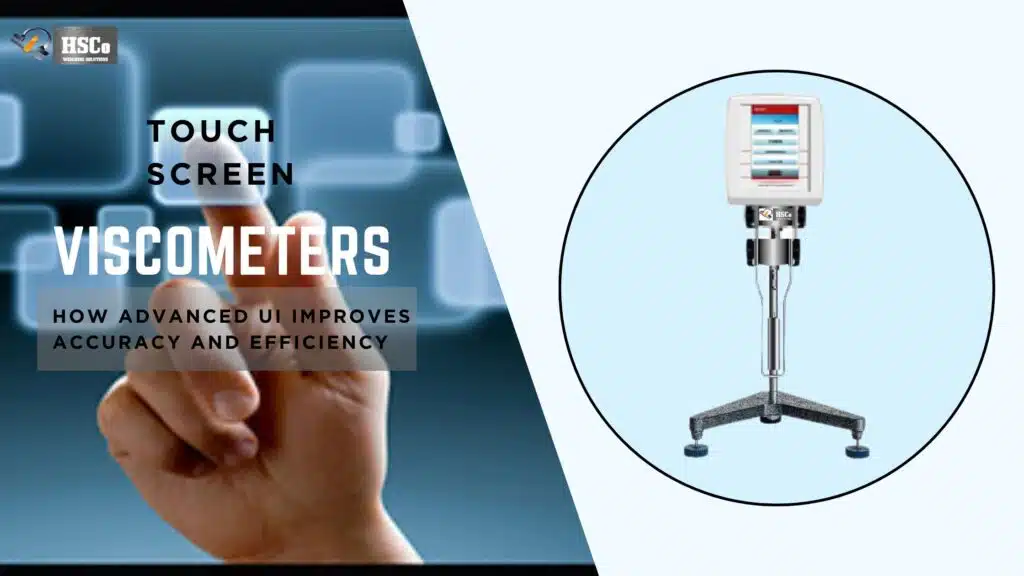


If you’ve ever watched a viscosity test run on a modern viscometer, you’ve probably noticed the graph moving on the screen while the test is still in progress. That live curve is more than just a visual extra. Real-time graphing and rheological curve display help you understand how a material actually behaves, not just what number it ends on.
Need live graphing for viscosity tests?
Compare HSCo's density and viscosity meters. Ask the team to confirm live graphing and curve display for the model you are considering. See touchscreen viscometers
For QA teams, lab analysts, and production users, these graphs transform viscosity testing from a simple pass/fail task to a powerful insight tool. Let’s look at what real-time graphs mean, how rheological curves work and why they matter in daily laboratory work.
What Are Real-Time Graphs in Viscosity Testing?

Real-time graphs display viscosity data as it is measured. Instead of waiting for the test to complete, you can see the changes happening directly on the screen.
As the spindle rotates and the sample reacts, the viscometer continuously plots values such as viscosity, shear rate or torque against time or speed.
This live feedback helps you identify problems immediately instead of having to figure them out after the test is over.
What Is Rheological Curve?
A rheological curve is a graph that shows how a material flows under different conditions. It goes beyond a single viscosity number and shows behavioral patterns.
Common Rheological Curves Include:
- Viscosity vs shear rate
- Shear stress vs shear rate
- Viscosity vs time
These curves help explain whether a material is Newtonian, shear thinning, shear thickness or time dependent.
Simply put, rheological curves tell you how and why viscosity changes.
Why Is Real-Time Graphing Important in Daily Laboratory Work?
Seeing data live gives you control and confidence during testing.
Fast Problem Detection
Real-time graphs help you quickly find out:
- Air bubbles affect the readings
- Incorrect immersion of the spindle
- Sample instability
- Sudden increase or decrease in viscosity.
Instead of repeating the test later, you can stop, fix the problem, and start again immediately.
Better Understanding of Material Behaviour
Two samples can end up with identical viscosity values, but behave very differently during testing. A real-time curve shows whether the sample remained uniformly stable throughout the run or fluctuated.
This insight is particularly useful in research and development, formulation work and troubleshooting.
Common Graph Types on Touchscreen Viscometers
Viscosity vs Time Graph
This is one of the maximum broadly used actual-time graphs. It indicates:
- How quick viscosity stabilizes
- Whether the sample settles, thickens, or thins over the years
- If readings float throughout long tests
This graph is helpful for balance research and ordinary QC checks.
Viscosity vs Shear Rate Curve
This curve is crucial for know-how to go with the flow behavior.
It facilitates identify:
- Shear-thinning conduct (viscosity decreases with velocity)
- Shear-thickening behavior (viscosity will increase with velocity)
- Constant viscosity (Newtonian fluids)
Products like paints, creams, sauces, and polymers often rely on this curve for formulation choices.
Torque or Shear Stress Graphs
These graphs consciousness at the pressure required to move the sample.
They are beneficial whilst:
- Operating close to tool limits
- Comparing material resistance
- Monitoring consistency in thick samples
They additionally help make sure the check stays in the endorsed working variety.
How Real-Time Graphing Improves Decision Making
Graphs inform a story that numbers by myself cannot.
With real-time display, you may:
- Confirm that the test approach is appropriate
- Decide while a sample has reached consistent state
- Compare batches visually, now not simply numerically
- Explain results greater genuinely in the course of opinions or audits
For production teams, this means faster approvals. For labs, it means fewer repeat tests.
Using Graphs for Quality Control and Trend Monitoring
When graphs are saved along with test data, they become valuable records.
Over time, you can:
- Compare modern-day curves with preceding batches
- Detect sluggish adjustments earlier than specifications fail
- Identify manner glide early
Many touchscreen viscometers save graphs robotically, making it smooth to study traits throughout audits or investigations.
Common Mistakes When Interpreting Rheological Curves
Even useful graphs may be misunderstood if you’re not cautious.
Watch out for:
- Comparing curves from exceptional test settings
- Ignoring temperature effects
- Overreacting to quick-time period fluctuations
- Using the incorrect graph kind for the cloth
Always review curves alongside test conditions, not in isolation.
Practical Tips for Getting the Best Graph Data
To make real-time graphing certainly beneficial:
- Allow samples to reach temperature equilibrium
- Use regular spindles and speeds
- Avoid vibrations at some point of testing
- Clean the spindle and container well
- Run a short trial take a look at before recording records
Good practice ends in clean, meaningful curves.
Why Touchscreen Displays Make Graphing Easier
Touchscreen viscometers make real-time graphing greater available.
Benefits consist of:
- Clear, shade-coded curves
- Easy zoom and scroll alternatives
- On-display comparisons
- Instant get admission to with out external software program
This method operators don’t need superior training to understand what they’re seeing.
Conclusion
Real-time graphs and rheological curve display transform viscosity testing from a single data point to a deep understanding of material behavior. They help you see problems as they arise, understand how samples react to stress and make better decisions with confidence.
Whether you work in QC, R&D or manufacturing, learning to read and use these graphs makes your viscometer much more than a measuring tool. It becomes a window into how your product actually behaves.
1. Is real-time graphing necessary for routine QC testing?
This is not mandatory, but it helps detect problems early and increases confidence in the results.
2. Do real-time graphs affect test accuracy?
No. Graphing only displays data and does not influence the measurement itself.
3. Can rheological curves be saved for audits?
Yes. Most touchscreen viscometers store graphs along with test data.
4. What is the most useful graph for beginners?
Viscosity vs time is the easiest to understand and is very convenient for daily testing.
5. Do I need special training to read rheological curves?
Basic understanding is enough for most users. With regular use, interpretation becomes intuitive.