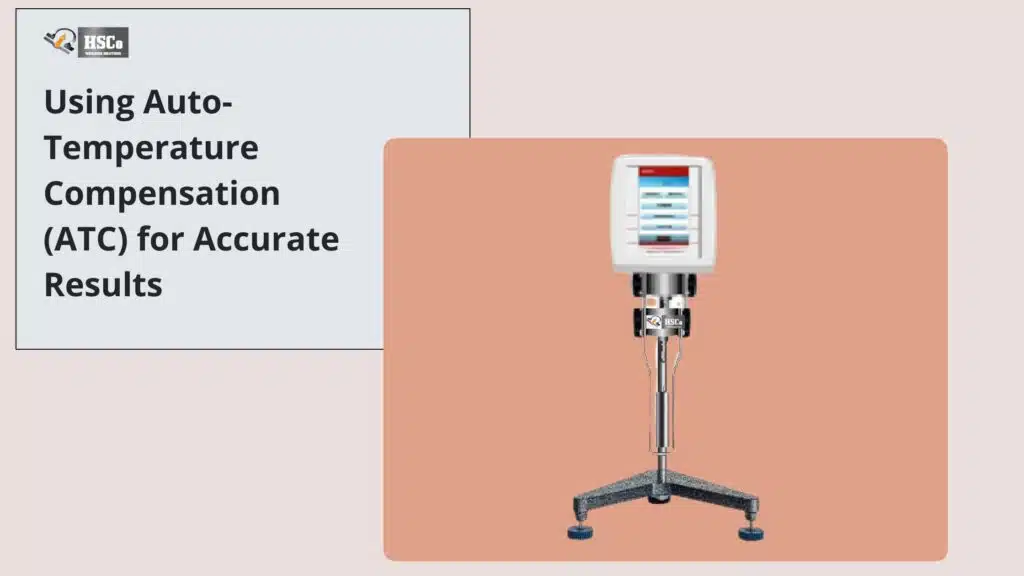


In many labs today, testing doesn’t end when the viscosity value appears on the screen. What happens next where the data goes, how it’s stored, and who can access it is just as important. That’s why integrating a HSCo touchscreen viscometer with LIMS or ERP systems has become a practical need, not just a “nice to have.”
Discuss a viscometer connection to your ERP
Compare HSCo's density and viscosity meters. Send your LIMS or ERP requirements and ask which instrument and connection can support them. Compare viscometers
If you handle QA, QC or lab operations, this guide will walk you through the integration process in simple, real-world terms. No jargon, no theory overload, just clear steps and useful tips that work in actual labs.
Understanding LIMS and ERP in Simple Terms
Before getting into integration, it helps to clarify what these systems do.
What Is LIMS?
A Laboratory Information Management System (LIMS) manages lab data. It stores test results, methods, sample IDs, analyst details and timestamps. Think of it as the lab’s digital notebook, only cleaner, safer, and searchable.
What Is ERP?
An Enterprise Resource Planning (ERP) system connects lab data with production, inventory, purchasing, and compliance records. When viscosity data flows into ERP, it supports decisions beyond the lab floor.
Both systems rely on accurate, timely data, which is where touchscreen viscometers fit in.
Why integration is important for viscometer data
Manual data transfer is one of the biggest weak points in the laboratory workflow. Writing down results in a notebook or entering them into software leaves room for error later.
Integrating the touchscreen viscometer helps you:
- Reduce manual data entry
- Keep test results consistent and complete
- Improve traceability and audit preparedness
- Save time for analysts and supervisors
Most importantly, it builds trust in your data.
What you need before integration
Integration doesn’t start with software – it starts with preparation.
Check the viscometer’s connection options
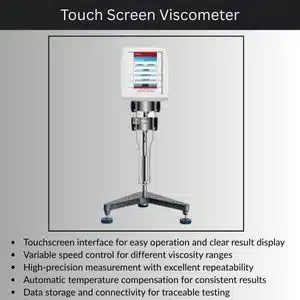
Most modern touchscreen viscometers support one or more of the following:
- usb
- rs232
- Ethernet or Wi-Fi
These options determine how data is transferred from your device to your system.
Understand your LIMS or ERP needs
Talk to your IT or software provider before connecting anything. Key questions include:
- What data formats are accepted?
- Is real-time data transfer necessary?
- Are user ID and time stamp mandatory?
Clear answers make integration easier.
Explanation of common integration methods
USB-based data transfer
This is the simplest method and is often a first step for small laboratories.
Here’s how it works:
- Test data is stored on the viscometer
- Files are exported using a USB drive
- Data is uploaded to LIMS or ERP
Best for laboratories that want control without network dependency.
RS232 direct communication
RS232 allows direct communication between the viscometer and the computer.
Why labs use it:
- continuous data transfer
- Stable and reliable connection
- Works well with older systems sure the chamber is completely dry
This method is common in QC laboratories linked to production where the results must be logged immediately.
Understand Your LIMS or ERP Requirements

Before connecting anything, talk to your IT or software provider. Key questions include:
If you see any of the following, you should replace the rubber parts:
- What data formats are accepted?
- Is real-time data transfer required?
- Are user IDs and timestamps mandatory?
Clear answers make integration smoother.
Common Integration Methods Explained
USB-Based Data Transfer
This is the simplest method and often the first step for smaller labs.
How it works:
- Test data is saved on the viscometer
- Files are exported using a USB drive
- Data is uploaded into LIMS or ERP
Best for labs that want control without network dependency.
RS232 Direct Communication
RS232 allows direct communication between the viscometer and a computer.
Why labs use it:
- Continuous data transfer
- Stable and reliable connection
- Works well with legacy systems up spills right away.
This method is common in production-linked QC labs where results must be logged instantly.
Network or WiFi Integration
WiFi-enabled viscometers can send data directly to servers or cloud systems.
Main advantages:
- real-time data availability
- centralized storage
- No physical media required
This option is ideal for laboratories with multiple locations or regulated environments.
Map viscometer data to your system
Integration is not just about connections, it’s about structure.
What data should be transferred?
Most labs include:
- viscosity value
- name of test method
- spindle and speed
- temperature
- Operator ID
- date and time
Make sure each field matches your LIMS or ERP structure.
Integration testing before going live
Never skip a test. A small effort can prevent massive troubles later. Run test samples and check:
- data accuracy
- missing field
- time and user tickets
- Duplicate entries
Fixing problems early saves audit headaches later.
Train your team for smooth adoption
Even the best integration fails if users don’t trust it. Help your team:
- Shows how data flows automatically
- Explains what not to edit manually
- Create simple SOP for connected testing
When analysts see the time savings, it becomes natural to adopt.
Maintain integration over time
Integration is not a “set it and forget it” task.
Schedule regular check-ups for:
- software update
- connection stability
- data consistency
A short monthly review keeps everything in order.
Conclusion:
Integrating a touchscreen viscometer with LIMS or ERP systems turns raw test results into reliable, usable information. It reduces errors, saves time, and strengthens compliance across the lab and production floor.
Whether you start with USB exports or move toward full WiFi integration. The goal is the same clear, traceable data you can trust. With the right preparation and support, integration becomes a practical upgrade. Not a technical burden.
FAQs
1. Do all touchscreen viscometers support LIMS or ERP integration?
Not all models do. Integration depends on available connectivity and software compatibility.
2. Is WiFi integration better than USB?
WiFi offers real-time transfer, but USB works well for smaller labs with simple workflows.
3. Does integration affect measurement accuracy?
No. Integration only handles data transfer, not the measurement itself.
4. Do I need IT support for integration?
Basic USB setups may not. But network or ERP integration usually benefits from IT involvement.
5. Is integration useful for small labs?
Yes. Even small labs gain better record-keeping, fewer errors, and easier audits.