
Our weighing scale software takes readings from a scale to a PC screen, phone app, bill, weighing record or online dashboard. The weight comes directly from the scale, so you do not have to read the display and type it again.

We write our own software in Mumbai: desktop programs, mobile apps, web software and cloud dashboards. You can buy an existing app or ask us to make one around your work. More than 340 customers use our apps.

Choose the software for your weighing work

Start with what needs to happen after weighing. Use this table to shortlist a product, then check its scale connection and the device it needs.

What you needProductWhere it runsMade for
A large weight display and saved readingsWeighDisplay ProWindows PCScales with a USB or RS232 cable; we set it up for yours
Truck weighing, tickets, camera photos and unmanned operationHSCo weighbridge softwareWeighbridge officeTruck weighbridges
Baby weighing records for a ward or clinicHSCo Baby ScaleAndroid phone or tabletHSCo Bluetooth baby scale (tested together)
Sale stickers and weighings on the owner’s phoneChicken-shop billing systemPhone appsHSCo’s own counter scale with a Bluetooth sticker printer
Broiler crate weighing, challans and invoicesHSCo PoultryAndroid; a Windows version also existsHSCo Bluetooth scales
Weight straight onto a counter billHSCo POSWindows, Android or webA scale at the billing counter
A visible underweight or overweight warningHSCo AlertWindows or AndroidScales with a USB cable or Bluetooth
An item-wise weighing registerHSCo ScaleAndroidHSCo Bluetooth platform and bench scales, about 30 kg to 3 tonnes
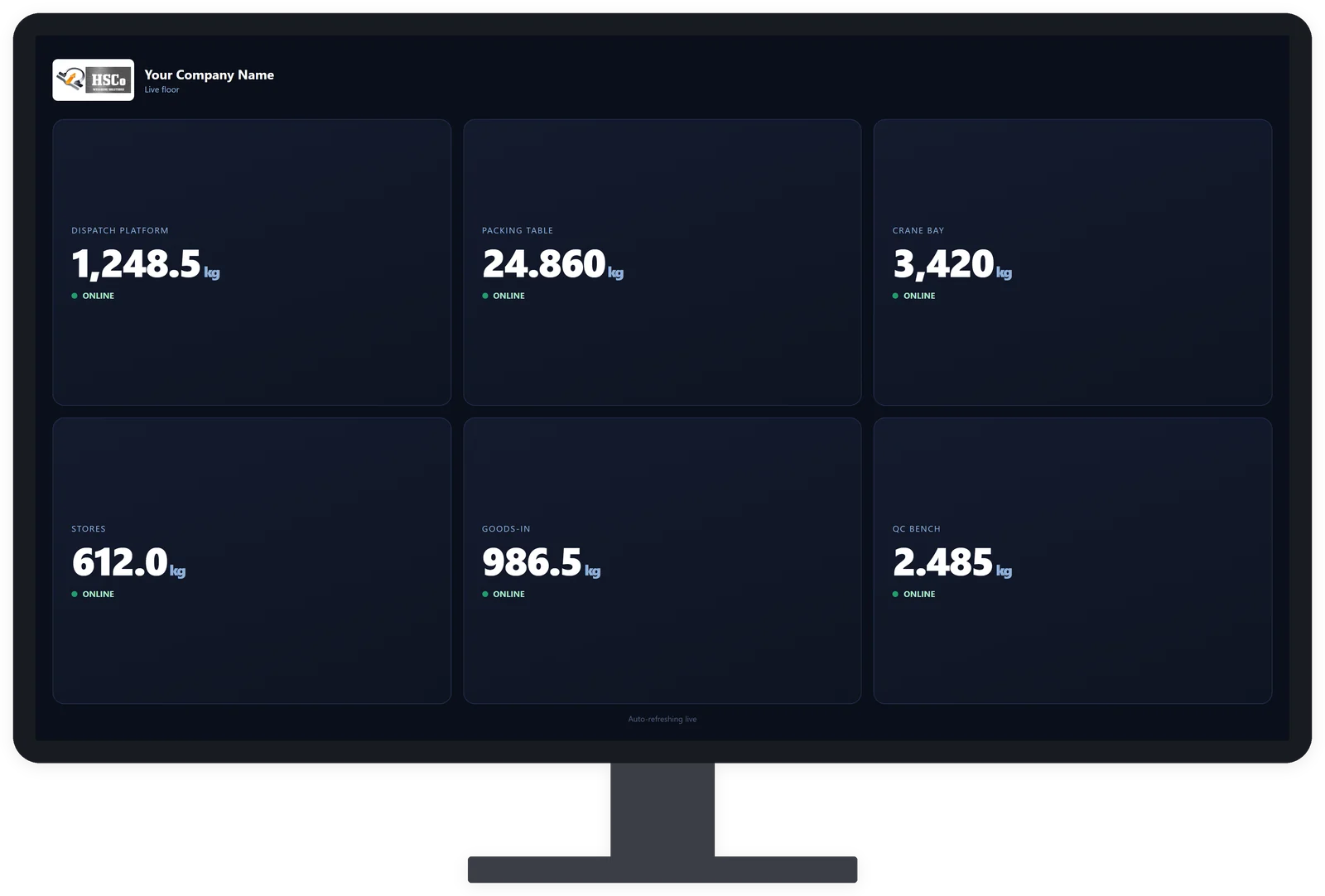
Several scales visible to the officeWi-Fi scale web portalWeb browserHSCo Wi-Fi scales

We confirm your exact scale before you order.
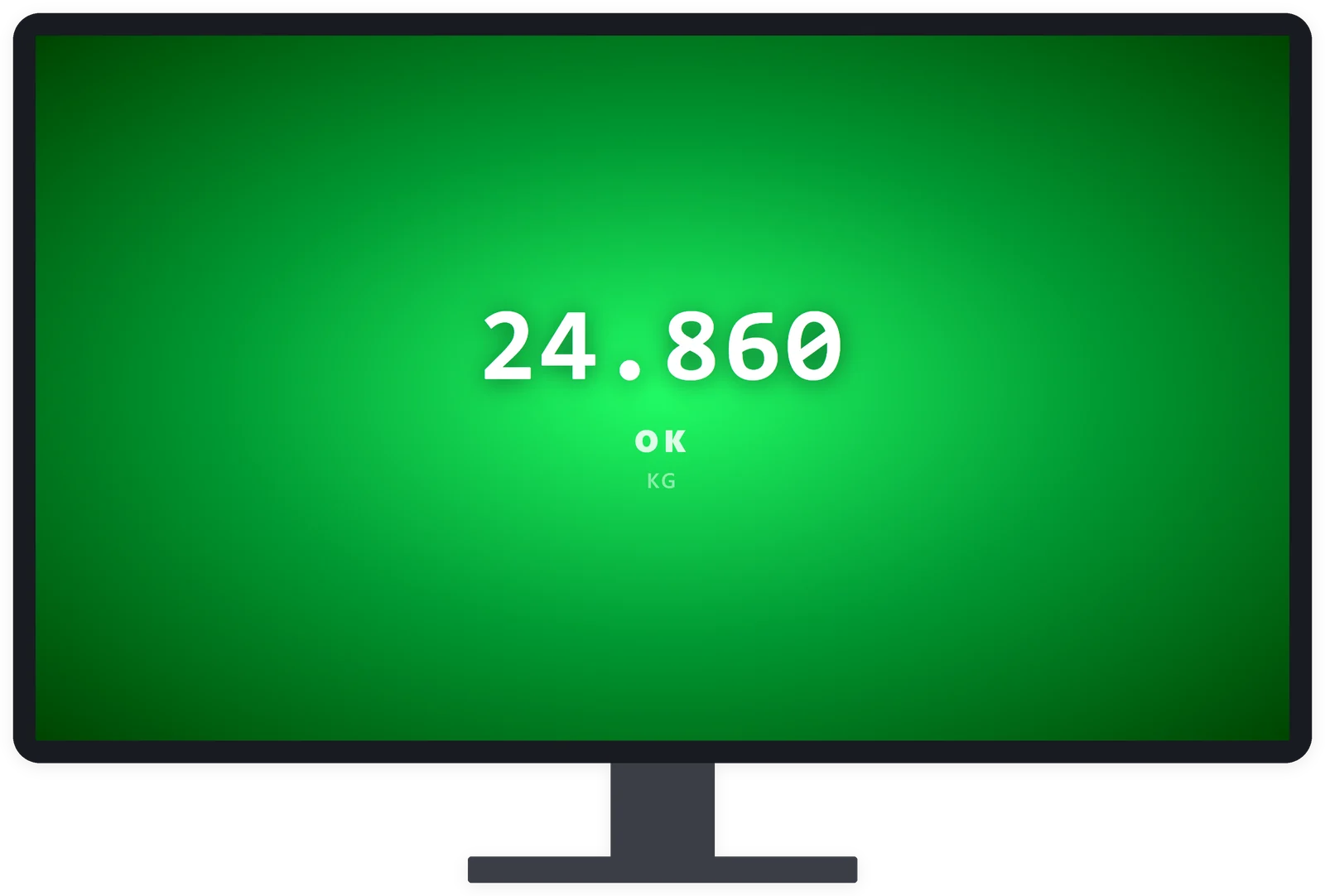
WeighDisplay Pro showing the weight in large digits in full-screen mode

WeighDisplay Pro: the weight on your PC screen

WeighDisplay Pro is made for a scale connected to a Windows PC by a USB or RS232 cable. It shows the weight in large digits. Full-screen mode makes the monitor a large shop-floor display. Set lower and upper limits to see whether a reading is under, within or over the range.

One key saves a reading with its date and time. Export the saved readings as a CSV spreadsheet file that opens in Excel. We set the program up to match your scale. Without a PC near the scale, consider a Bluetooth phone app; for several scales on one screen, see the Wi-Fi portal below.
WeighDisplay Pro: the full page

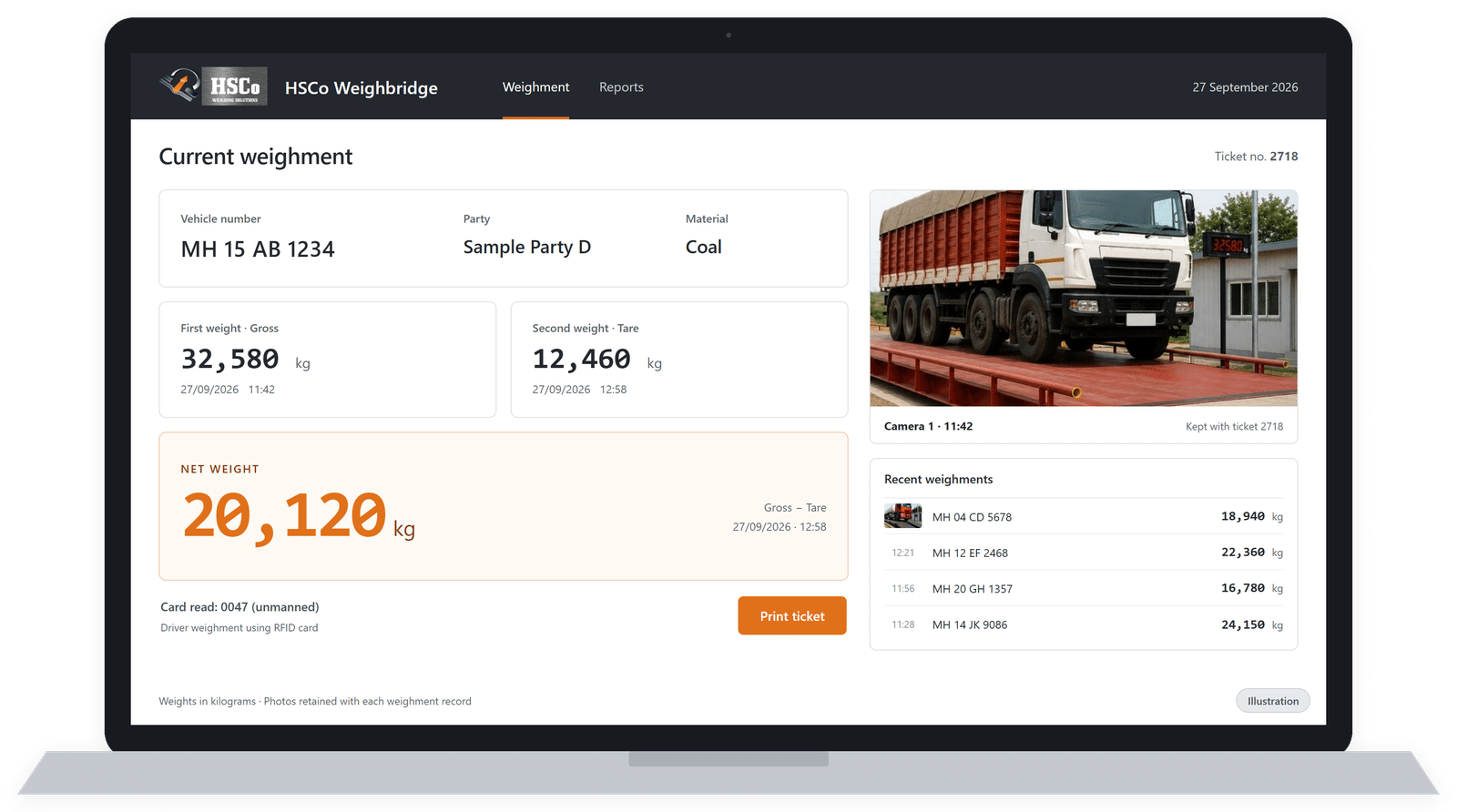
Illustration of an HSCo weighbridge software weighment screen

Illustration

HSCo weighbridge software: truck records, tickets and camera photos

HSCo weighbridge software is made for truck weighbridges. It records each weighing with the vehicle number, gross weight, tare weight, net weight, date and time, and prints a weighment ticket. Gross is the loaded vehicle’s weight, tare is the empty vehicle’s weight, and net is the difference.

Camera photos of the truck are taken at each weighing and kept with its record. For unmanned operation, drivers weigh without an operator using a radio-frequency identification (RFID) card.

The software provides day-wise and party-wise reports, and sends weighments into Tally, SAP or the customer’s ERP system.
HSCo weighbridge software: the full page

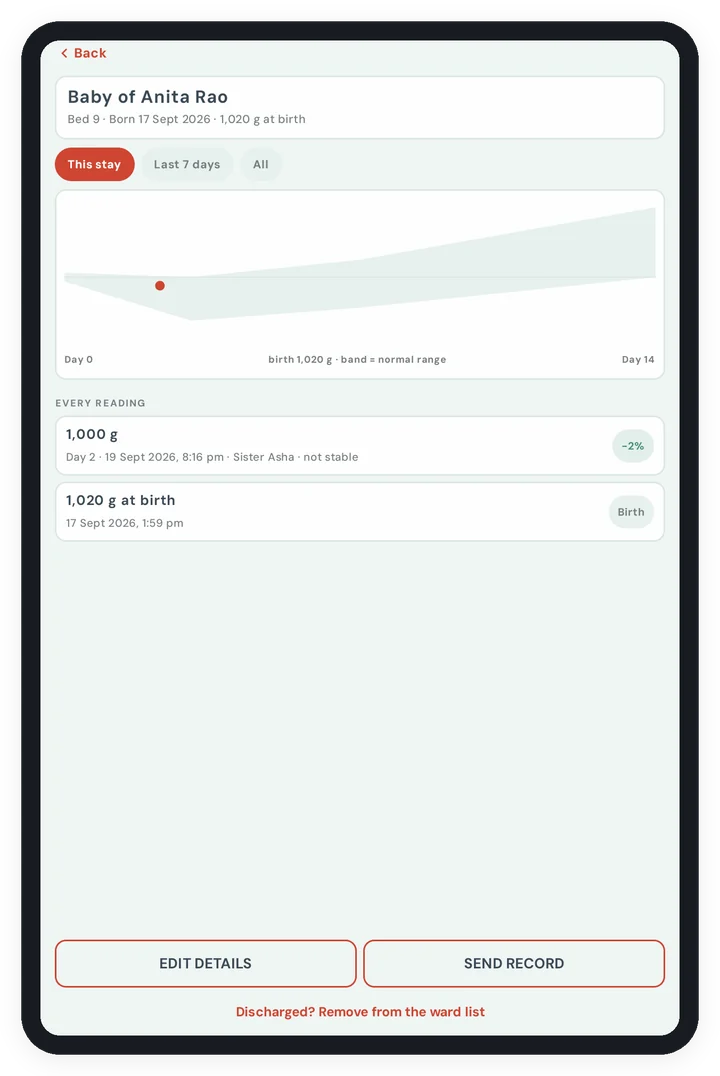
HSCo Baby Scale app showing a baby's weight growth chart

HSCo Baby Scale: weighing records for hospital wards and clinics

HSCo Baby Scale is an app for an Android 8.0 or newer phone or tablet. It works with our Bluetooth baby scale. The scale steadies the reading, and the nurse saves it against the right baby in one tap. Each weighing carries the nurse’s name.

A daily ward list and each baby’s growth line help staff follow weighings. The app flags readings using limits set by the hospital; it never advises treatment. Records stay on the phone or tablet, with nothing sent to HSCo or the cloud. They leave the device only through a deliberate CSV spreadsheet export. A detailed user manual is included.
HSCo Baby Scale: the full page

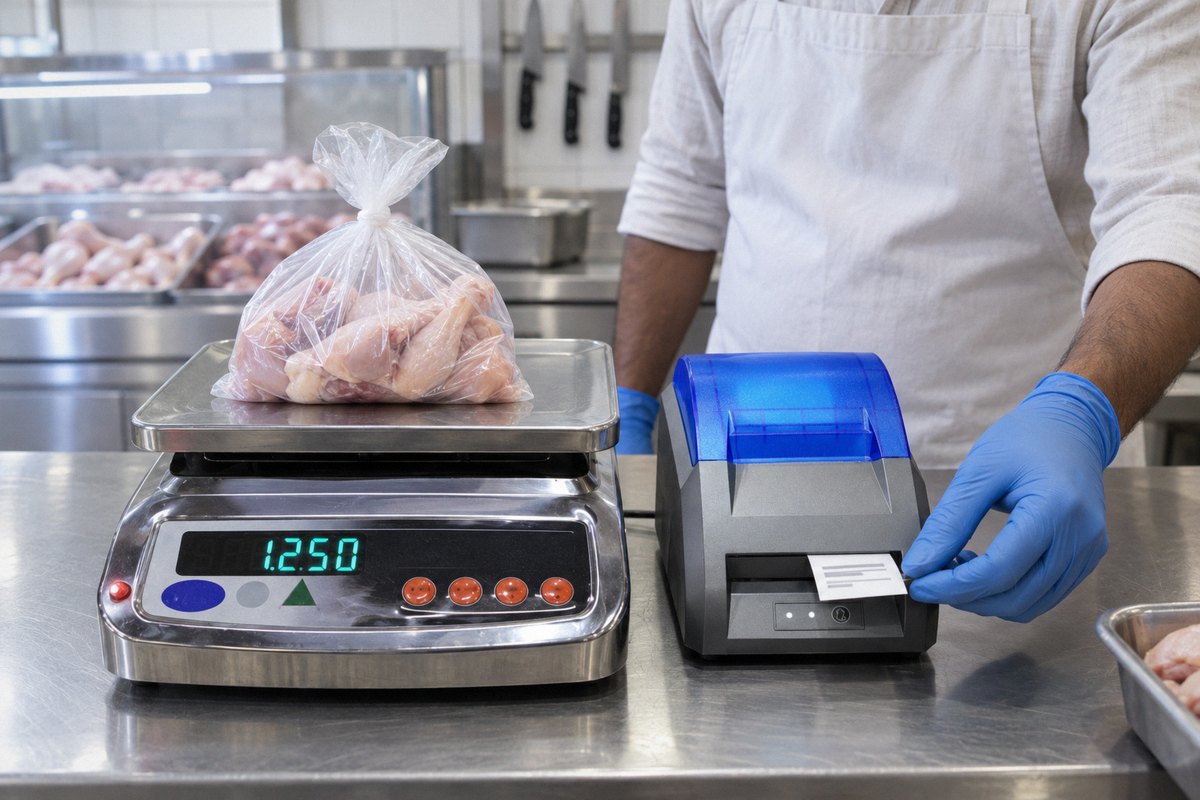
Chicken shop counter with a stainless steel scale and a small printer dispensing a sticker

Illustration

Chicken-shop billing system: sale stickers and weighings on your phone

We built this system for a chicken shop. It is built around HSCo’s own counter scale and a Bluetooth sticker printer. The scale prints a sticker for every sale with the shop name, contact number, weight, bill number, date and time. The sticker carries no price. The owner changes the sticker text from a phone app.

Each weighing and its bill number also reach the owner’s phone app, so the owner can see the day’s weighings from anywhere. The app also shows the live weight.
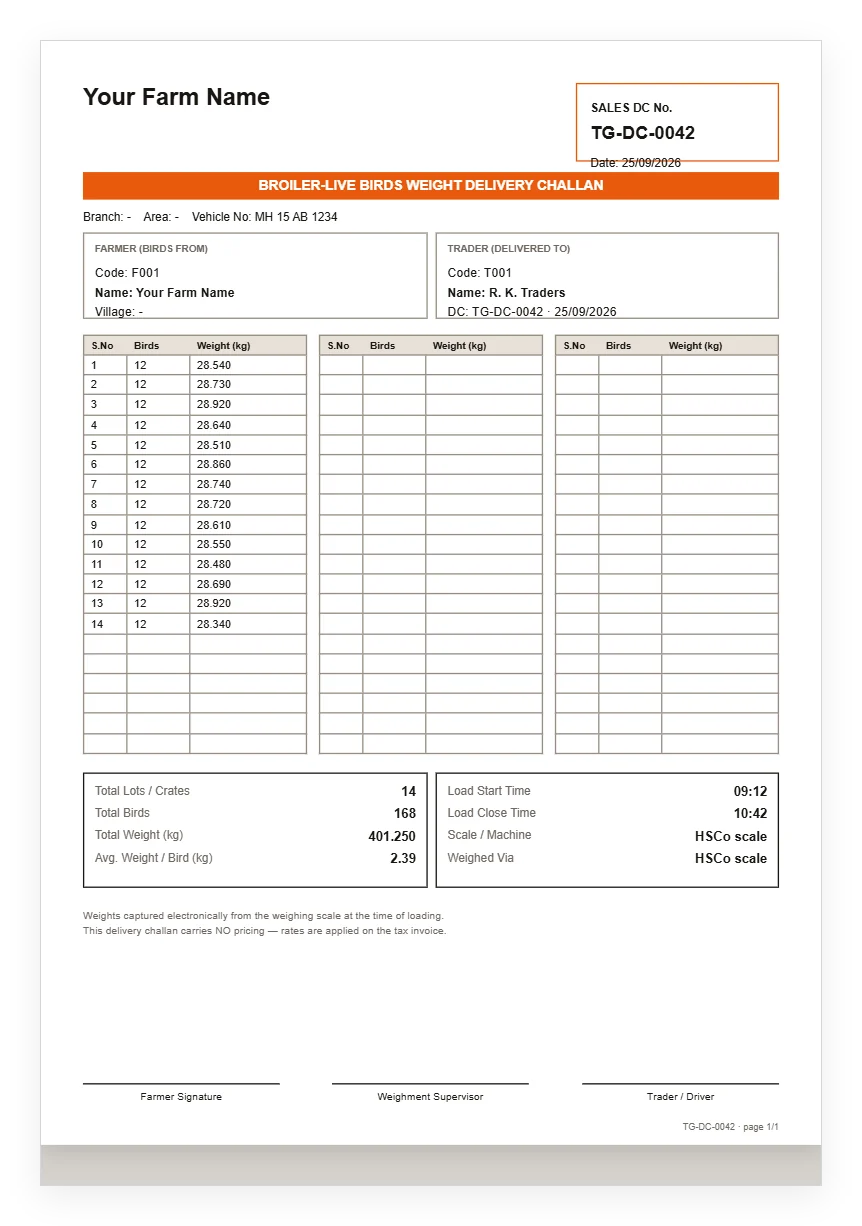
The chicken-shop system: the full page

HSCo Poultry app showing a delivery challan

HSCo Poultry: from crate weighing to invoice and payment

HSCo Poultry is for broiler farms selling live birds to traders. It is made for HSCo Bluetooth scales. Weigh crates at loading and prepare a delivery challan, a delivery document carrying weights without prices. Add the rate in the evening to turn the challan into an invoice, then track payment as pending or received.

Loader mode shows no money; the owner’s login shows bills, rates and reports. The app provides average weight per bird, PDF challans and invoices with the farm’s name, logo and colours, and Excel export. It runs on Android; a Windows version also exists. For a retail chicken counter, see the chicken-shop system above.
HSCo Poultry: the full page

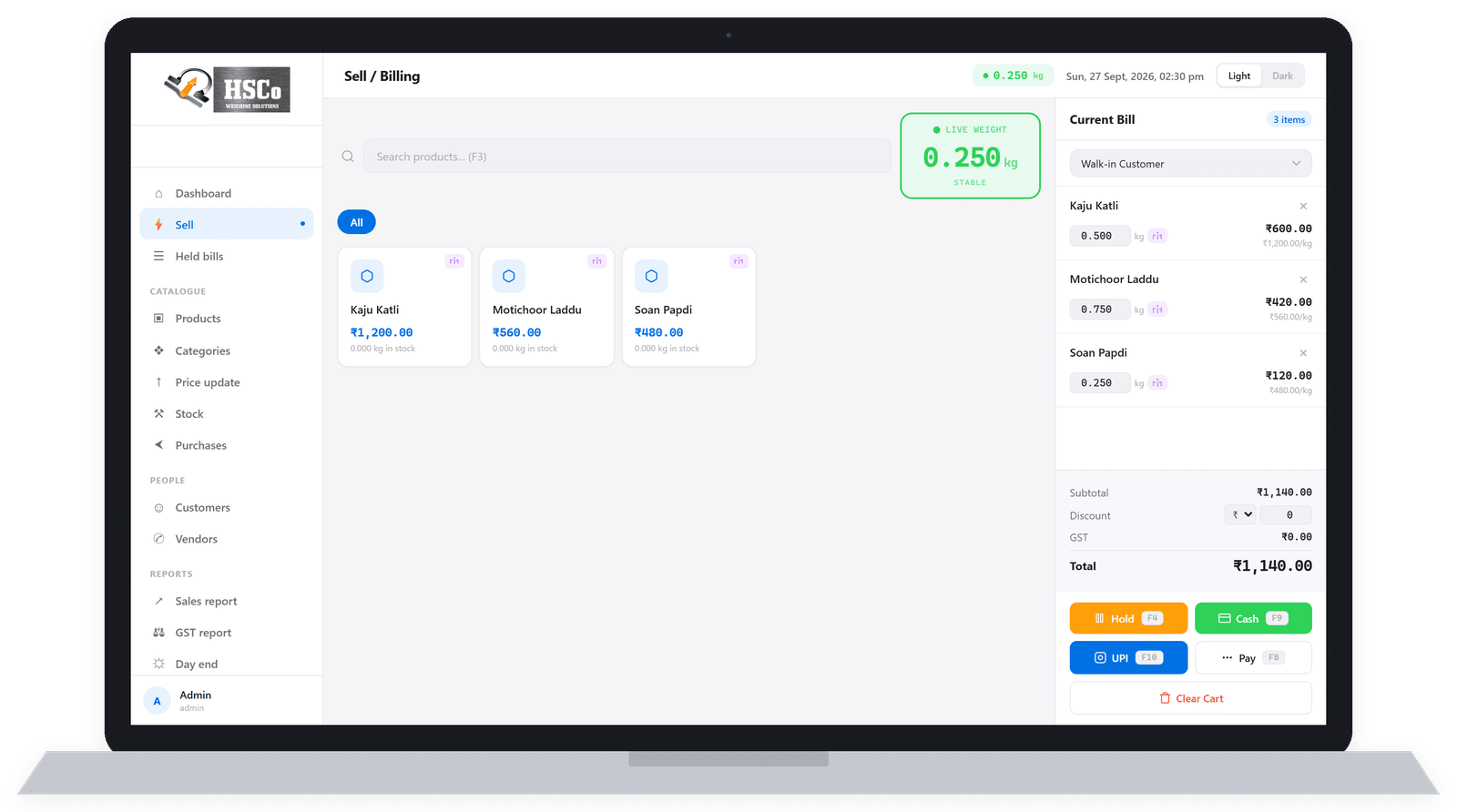
HSCo POS billing screen

HSCo POS: billing with a weighing scale

HSCo POS is billing software made for counters that sell by weight. The scale’s weight goes straight onto the bill, which is printed on a thermal printer. Windows, Android and web versions are available.
HSCo POS: the full page

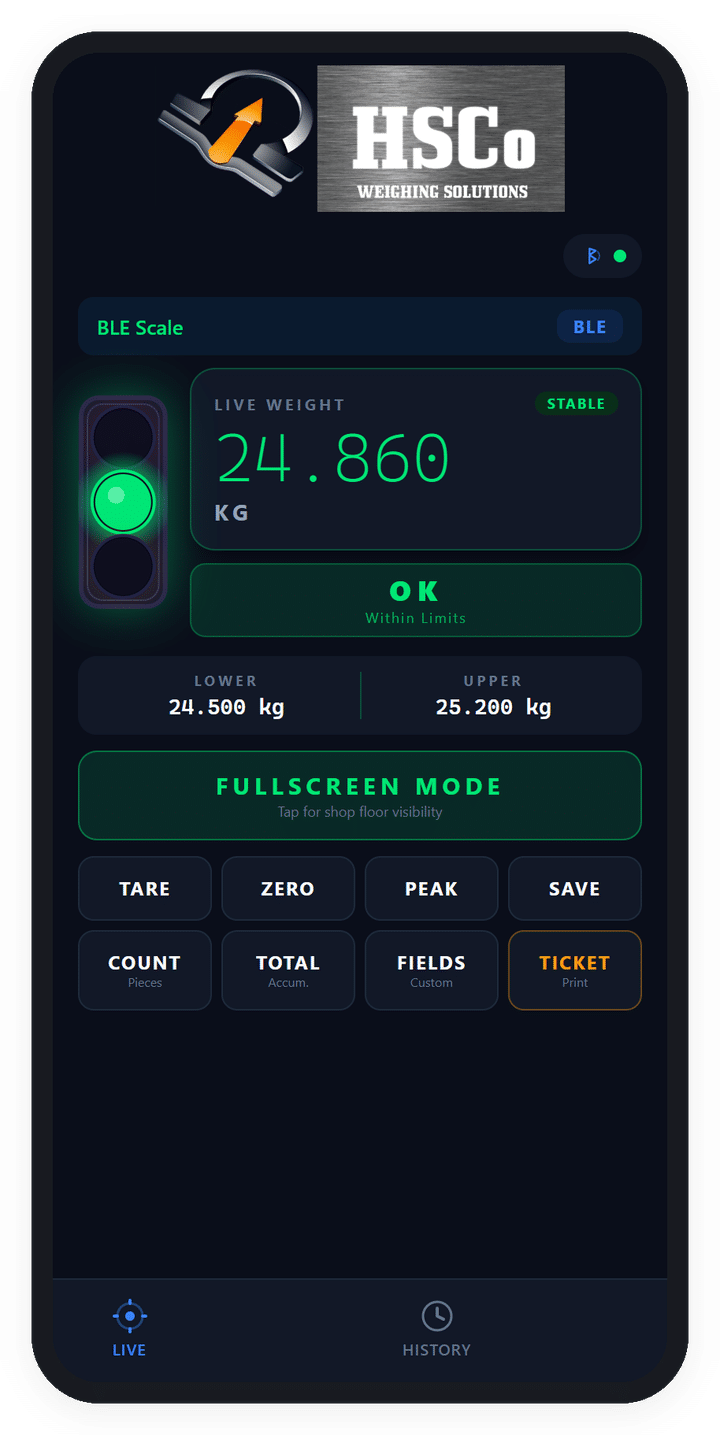
HSCo Alert app showing a green weight-status light

HSCo Alert: see weight-limit warnings across the floor

HSCo Alert shows red below the lower limit, green within the range and orange above it. In full-screen mode, the whole screen changes colour so the status is visible across the shop floor.

It runs on Windows and Android, is made for a USB or Bluetooth scale connection, and keeps a searchable history with CSV export. HSCo Alert shows the status; it does not stop a machine. To switch a valve or conveyor automatically, you need a scale with a relay output, an output that acts as a switch.
HSCo Alert: the full page

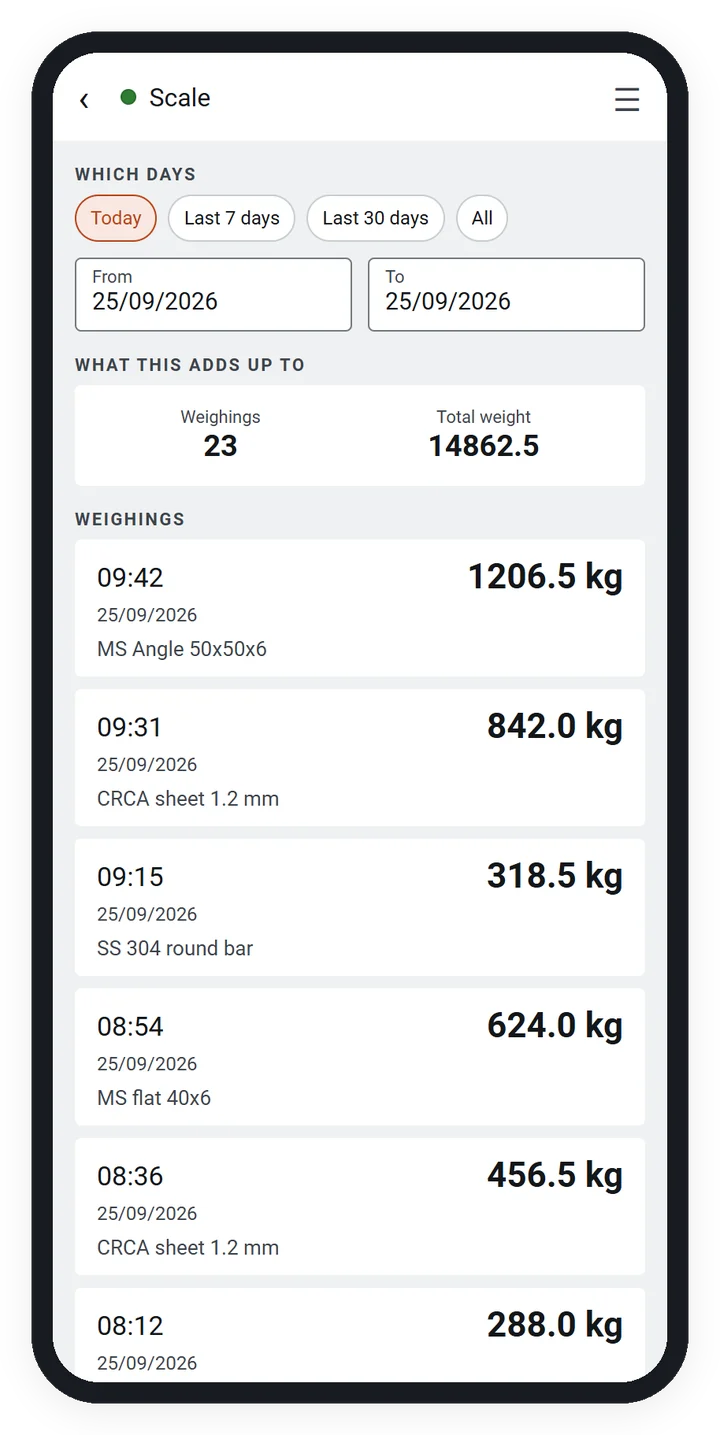
HSCo Scale app showing its weighing register

HSCo Scale: an item-wise weighing register for factory work

HSCo Scale is an Android app made for HSCo Bluetooth platform and bench scales, about 30 kg to 3 tonnes. It is for foundries, rolling mills, wire units, fabrication and machining shops, and factory stores.

Every stored weight comes from the scale and is saved against an item; the operator cannot type a weight. A wrong entry is cancelled with a reason and stays visible. The app works fully offline, sends nothing elsewhere, and provides a PDF day sheet and Excel export. It uses kilograms only and is not for vehicles or weighbridges.
HSCo Scale: the full page

Wi-Fi scale portal showing several scales on one screen with sample data

Wi-Fi scale web portal: several scales on one screen

Wi-Fi scales send every reading to the internet automatically. Sign in through a browser to see the latest weight, whether it passed the weight check, and a log of weighings with date and time. Several scales can appear on one screen.

Download the day’s records as Excel or PDF. Readings can also be passed to your own system. Each customer sees only their own data. The portal is in use with customers; the picture below shows sample data.

See the Wi-Fi scale portal on our wireless weighing page

Put the weight into billing, labels and reports

Your existing billing or ERP (enterprise resource planning) software

We have connected scales to Tally, SAP and other major ERP and accounting software. Tell us which one you use.

Send the software name, your scale model or a photo of its display, and where the weight needs to appear.

Read about weight into billing and ERP

Labels and stickers: See our weight-to-label printing options.

Weighing records: See our weighing records and reports page.

Which scales can you use?

A scale already in use can often be connected. This includes our scales and, in most cases, another make.

WeighDisplay Pro is made for a cable connection to a Windows PC. HSCo Alert is made for USB or Bluetooth connections. HSCo Baby Scale, HSCo Poultry and HSCo Scale are for the HSCo Bluetooth scales described above; the portal needs Wi-Fi scales.

Our Bluetooth weighing scales page lists models and prices. For cable connections and other outputs, see connected weighing scales and ports.

Before ordering, send your scale model or a photo of its display, any connection details you have, the app you are considering, and the phone, tablet or PC you plan to use. We check that combination before you order. For a weighbridge, call us on +91-7045922250 and we will check it with you.

An app made around your work

You can buy an existing app or ask us to build one around your weighing process. You will not find our apps on an app store: each one is customised and licensed for your business and comes with lifetime updates.

We build Android, iOS (iPhone and iPad) and Windows apps. Each product above runs on the devices listed with it. For a custom app, tell us whether it should run on a phone, tablet or PC.

For a custom app quotation, send:

  • Your scale model or a photo of its display.
  • What you want to see on the screen.
  • What you print: a bill, delivery challan, sticker or report.
  • Where the records must go: Excel, Tally, SAP or your own system.
  • Whether the app will run on a phone, tablet or PC.

Browse our weighing scale mobile apps and custom app options

Systems we have delivered to customers

We built and delivered the first three systems, and all three are in use. The fourth is the one we run our own business on.

A label scale for an industrial client

The scale weighs and prints one sticker per key press on a Bluetooth label printer. A phone app sets up the label; a second app helps a service engineer check the scale.

Pouch-fill checks for a food ingredients company

The scale checks each pouch against a weight window, the permitted lower and upper weights, and sends every reading to the customer’s private web page.

A crane scale for an aluminium plant

A crane scale sends each lift’s weight to a wall display, which passes it to the plant’s control system over the plant network and prints on a Bluetooth printer.

The ERP we run our own business on

We run HSCo daily on an ERP we wrote. It shares website and online marketplace enquiries among the sales team and handles sales, dispatch, workshop and on-site repairs, annual maintenance contracts, staff attendance, e-invoices and bills on WhatsApp.

Our own system is not sold. A separate version for other businesses is available on request. For an enquiry, send the business tasks you need it to handle.

Questions buyers ask about weighing scale software

How do I connect a weighing scale to a computer?

WeighDisplay Pro is made for a scale connected to a Windows PC by a USB or RS232 cable. We set the program up to match your scale. To check your setup, send the scale model or a photo of its display and any connection details you have.

Can I send weight data to Excel?

WeighDisplay Pro exports saved readings as a CSV file that opens in Excel. HSCo Poultry and HSCo Scale offer Excel export. The Wi-Fi portal lets you download the day’s records as Excel or PDF.

Can you connect my scale to Tally, SAP or my existing ERP?

We have connected scales to Tally, SAP and other major ERP and accounting software. Tell us which one you use.

Send its name, your scale model or display photo, and where the weight needs to appear so we can check your requirement.

Can I see who weighed an item and when?

The record depends on the app. HSCo Baby Scale attaches the nurse’s name to each weighing. WeighDisplay Pro saves readings with date and time. HSCo Scale saves weighings against items and retains cancelled entries with their reasons. If you need operator names in your records, include that requirement when you send your scale and workflow details.

Does the software need an internet connection?

HSCo Scale works fully offline and sends nothing elsewhere. HSCo Baby Scale keeps records on the phone or tablet, with export controlled by the user. The Wi-Fi portal sends readings to the internet for viewing in a browser.

Is there a free download to try?

No. Each app is customised and licensed for one business, so there is no store download. We show it to you live instead: call or WhatsApp +91-7045922250 and we will show you the app live on your phone. Send your scale model or a photo of its display, the product you want to see and what you need it to do.

What does the software cost?

Price on request. For a quotation, send your scale model or display photo, what you need on screen, what you print, where the records must go, and whether you will use a phone, tablet or PC.

Arrange a live demo or get a quotation

Call or WhatsApp +91-7045922250 and we will show you the app live on your phone. Send your scale model or a photo of its display, the app you want to see and what you need it to do.

For a quotation, WhatsApp +91-7045922250 or email hsc@hindustanscale.com. Send your scale model or display photo, what you want on screen, what you print, where the records must go, and whether you will use a phone, tablet or PC.