
A weighing scale app puts the scale’s weight on your phone or tablet. The weight comes from the scale; the phone does not weigh the item. Choose an app below for the records, bills, challans or reports your work needs.

340+ customers use our apps. You can buy an app from this catalogue or have us make one around your process. Each app is customised and licensed for your business.

Need the scale as well? See our scale with an Android app or scale with an iOS app. For scale options, see our Bluetooth weighing scales.

Choose an app for your work

Every app below is tested and in use with customers. Start with the work you need to do, then check the scale and device each app needs.

HSCo Baby Scale: hospital wards and clinics

HSCo Baby Scale app icon

Save a steady weight against the right baby in one tap, follow the growth chart and use the daily ward round list. Weight flags follow limits set by the hospital; the app does not advise treatment. Records stay on the device unless deliberately exported.

Platform and scale: Android 8.0 or newer, on a phone or tablet, with HSCo’s Bluetooth baby scale.
Explore HSCo Baby Scale

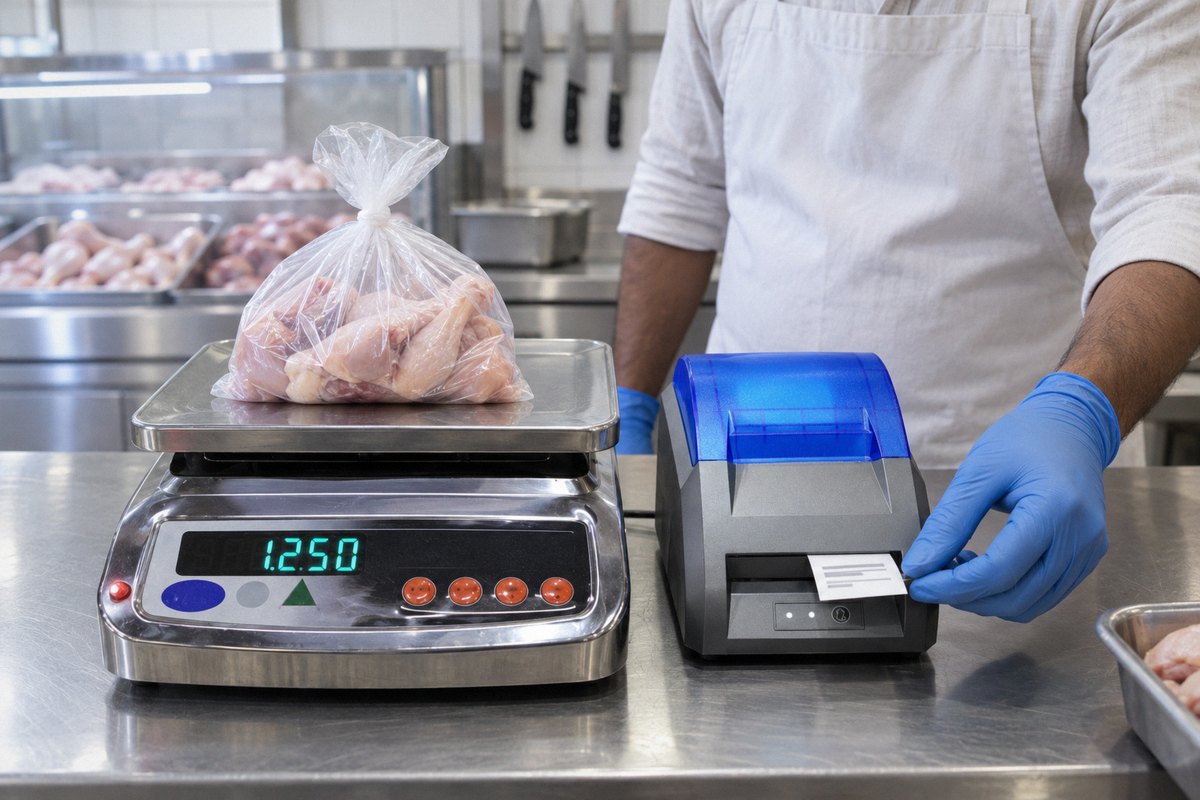
Illustration of a chicken-shop counter with a weighing scale and sticker printer

Illustration

Chicken-shop system: counter stickers and the owner’s records

The counter scale prints a sticker for each sale with the shop details, weight, bill number, date and time. The sticker carries no price. The owner sets the sticker text from a phone app at the counter; a second phone app shows the live weight and the day’s weighings with their bill numbers, from anywhere. The counter needs the shop’s Wi-Fi.

Platform and scale: HSCo’s own counter scale with a Bluetooth sticker printer; Android phone apps.
Explore the chicken-shop system

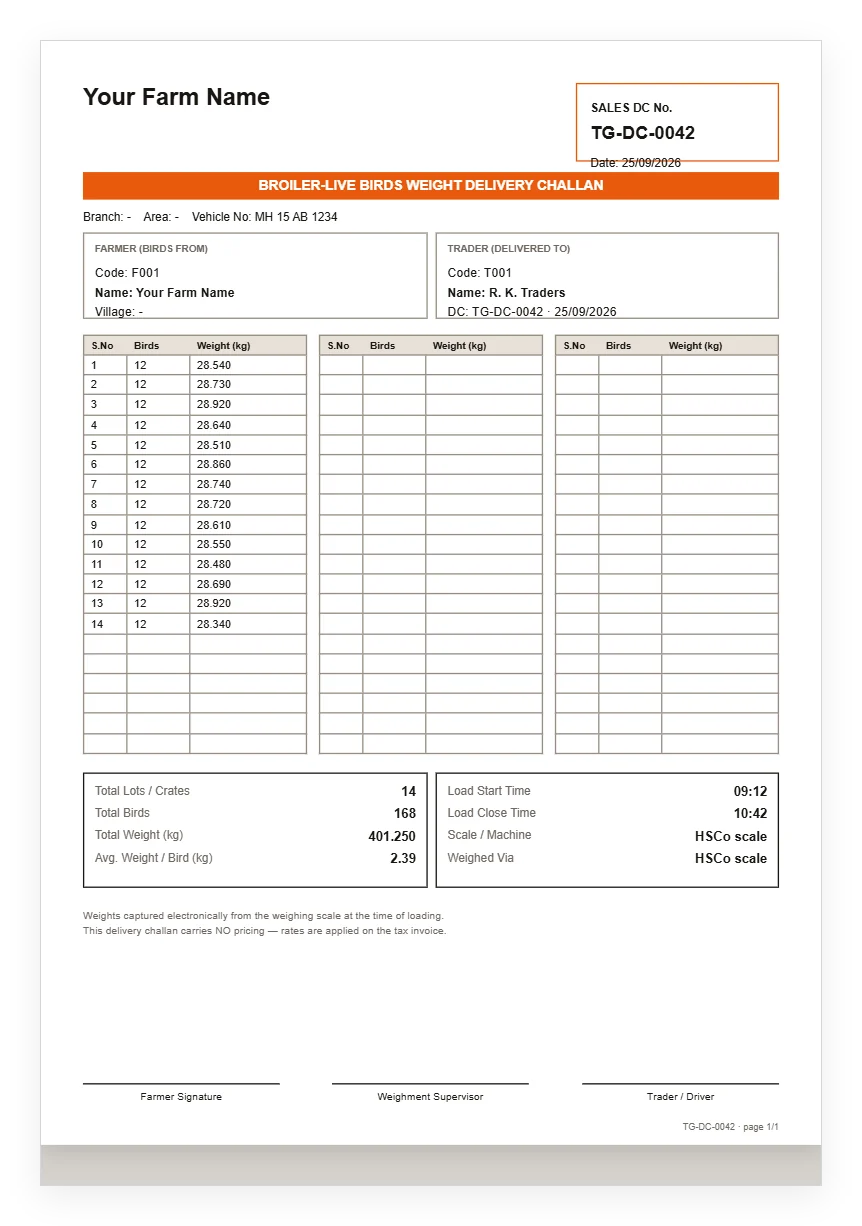
HSCo Poultry delivery challan

HSCo Poultry: live-bird sales from broiler farms

Weigh crates at loading and issue a delivery challan showing weights without prices. Add the rate later to make the invoice and track payment. Loader mode hides money details; the owner sees rates, bills and reports. Challans and invoices can be produced as PDFs.

Platform and scale: Android, with an HSCo Bluetooth scale. A Windows version also exists. For a retail chicken counter, choose the chicken-shop system above.
Explore HSCo Poultry

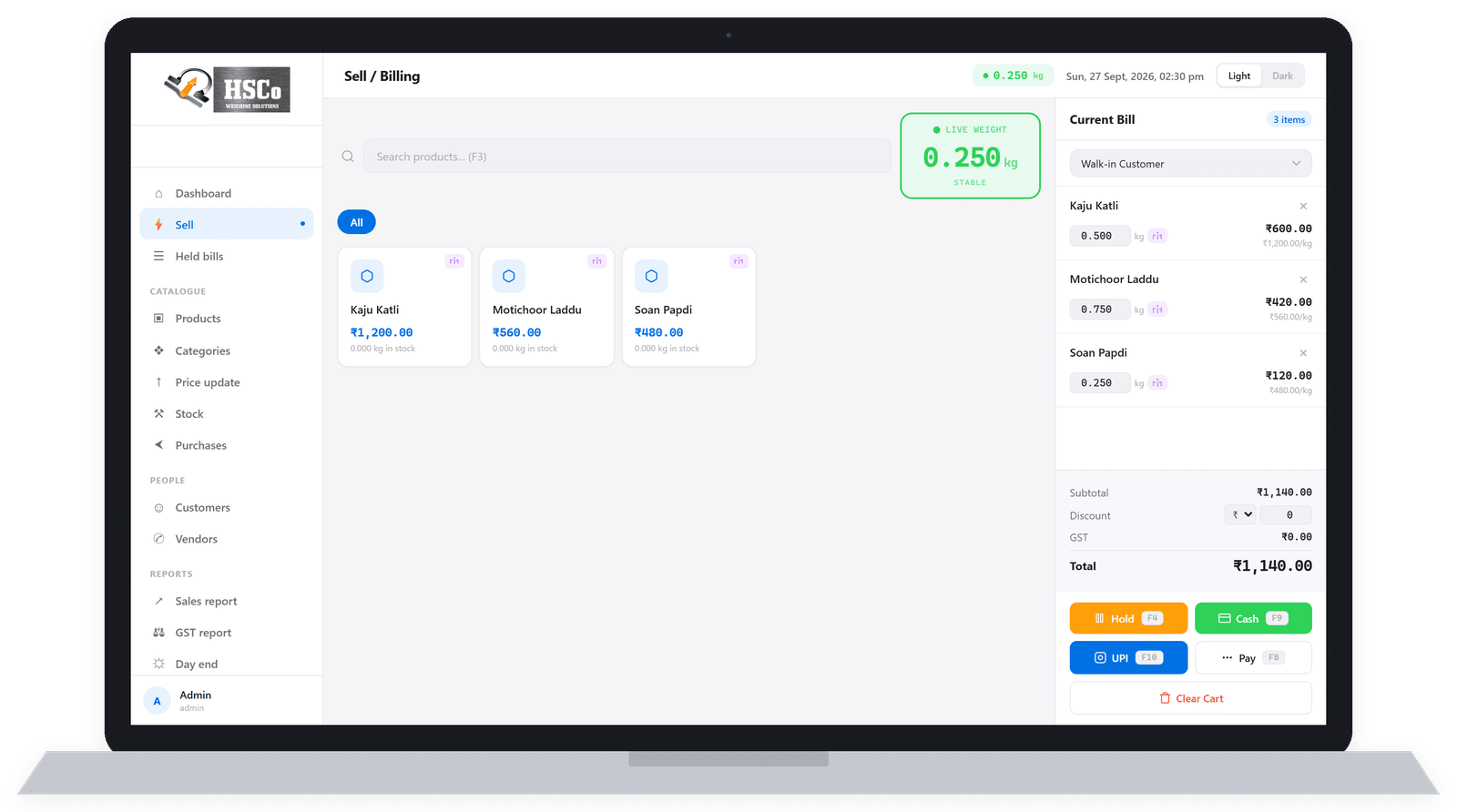
HSCo POS Windows sale screen

Sample data. Windows version shown.

HSCo POS: billing at counters that sell by weight

The scale’s weight goes straight onto the bill for printing on a thermal printer. Android and Windows versions include GST on bills, discounts, bills you can hold and return to, stock, purchases and sales reports. Record payments by cash, UPI, card or credit.

Platforms: Android, Windows and web versions.
Explore HSCo POS billing

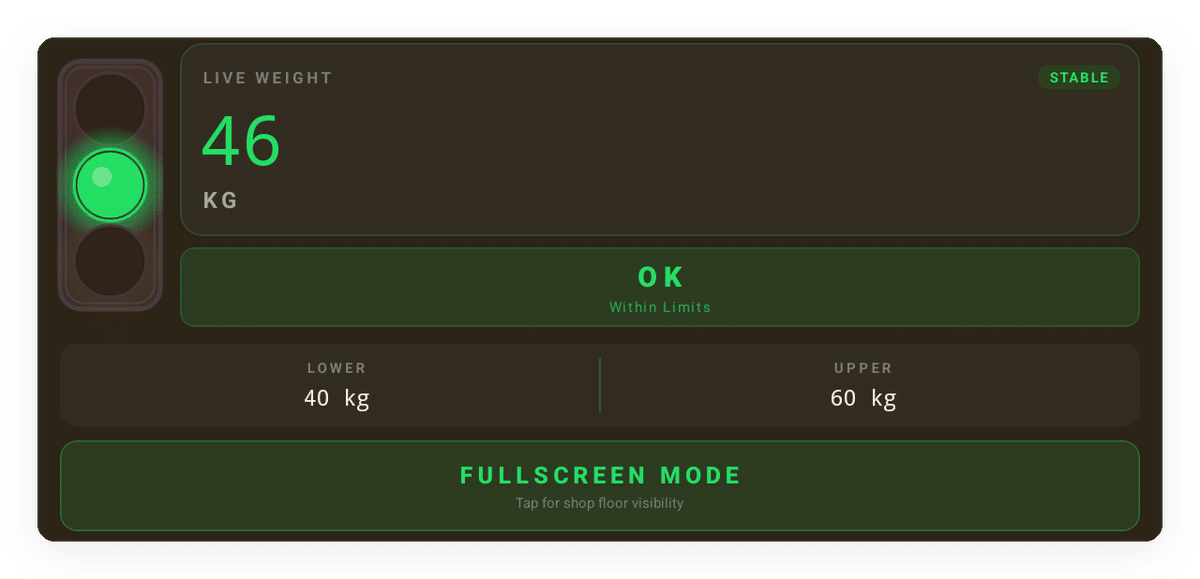
HSCo Alert live weight screen with a green light and OK status

Sample data

HSCo Alert: see whether a weight is within limits

A large red, green or orange light shows whether the weight is below, within or above your set limits. Full-screen mode fills the screen with that colour. Search weighing history and export it as a CSV spreadsheet file. It shows the colour; it does not stop a machine. For that you need a scale with a relay output.

Platforms and connection: Android and Windows; USB cable or Bluetooth.
Explore HSCo Alert

HSCo Scale weighing register

HSCo Scale: weighing records for factories and stores

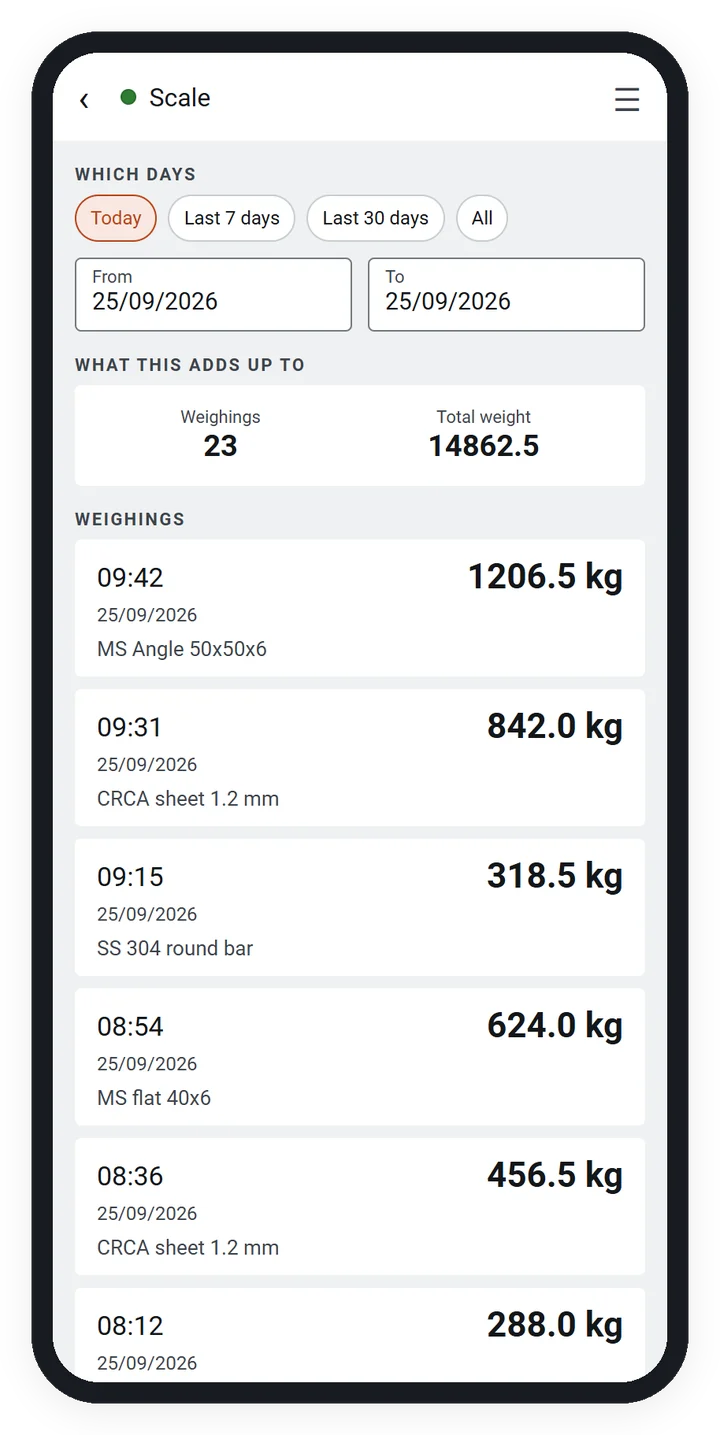
See a large live weight and save each weighing against its item. Every stored weight comes from the scale; operators cannot type one manually. Incorrect entries are cancelled with a reason and remain visible. Share a day sheet as a PDF or export records to Excel.

Platform and scale: Android, with HSCo Bluetooth platform and bench scales. Works fully offline, in kilograms only. For factory weighing, not vehicles or weighbridges.

Explore HSCo Scale

Using a scale you already have

HSCo Baby Scale, HSCo Poultry, HSCo Scale and the chicken-shop system work with HSCo’s own scales. For HSCo POS and HSCo Alert, a scale you already have can often be connected, including another make in most cases. Send a photo of your scale and its display, the app you are interested in, and your phone or tablet details to +91-7045922250 on WhatsApp so we can check compatibility.

An app made for your work

We can make an app around your process. To explain what you need, send:

  • Your scale: its model or a photo of its display.
  • Your screen: what you want the person using the app to see.
  • Your printout: a bill, challan, sticker or report, with a sample if available.
  • Your records: where they must go: Excel, Tally, SAP or your own system.
  • Your device: phone, tablet or PC, and whether it uses Android, iOS or Windows.

WhatsApp these details to +91-7045922250 or email them to hsc@hindustanscale.com.

If your main requirement is sending weight into existing billing or business software, see our scale integration with billing and ERP systems. ERP is software used to manage business operations.

Platforms, licensing and price

We build apps for Android, iOS (iPhone and iPad) and Windows. Each card says what that app runs on. Need it on an iPhone or iPad? Say so in your custom-app enquiry.

Every app is customised and licensed for your business and comes with lifetime updates. It is not sold through app stores. Price on request.

For a live demo on your phone and a price enquiry, WhatsApp +91-7045922250 with your chosen app, a photo of your scale and your phone details. For a custom app, send the list above.

Not phone apps, but often chosen with them

WeighDisplay Pro is a Windows PC program for a large weight display, limit colours and saved readings that can be exported.

The Wi-Fi scale portal shows readings from several scales in a browser, with weighing logs and Excel or PDF downloads.

For the wider range, including PC programs, weighbridge software and business-system connections, see our weighing software catalogue.