
Weighing Scale Dashboard for Online Records and Reports
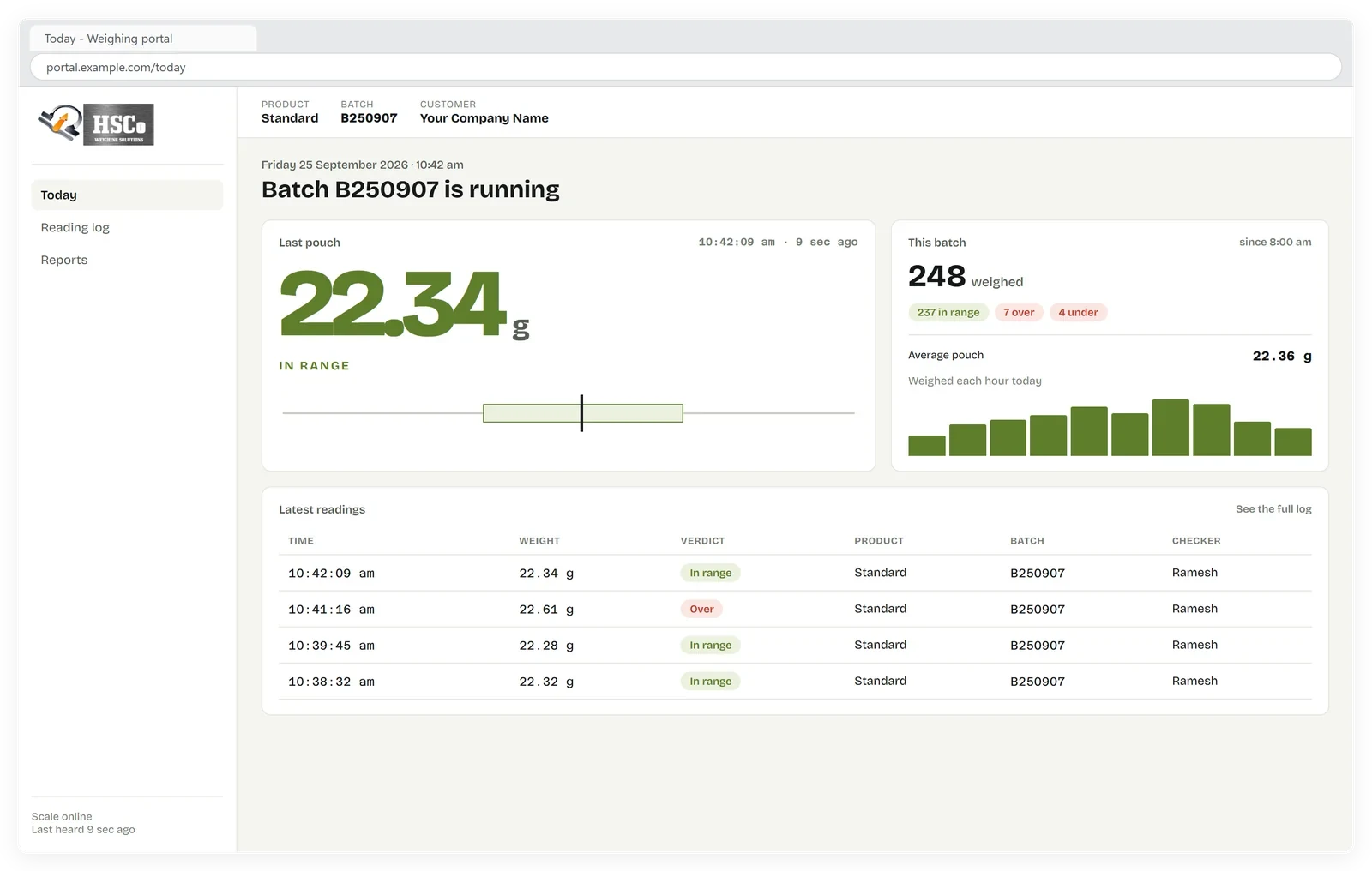
Our weighing scale dashboard lets you see readings from another location on a computer, tablet or phone. Wi-Fi scales send every reading to the internet automatically. Sign in through any browser to check the latest weight, see whether it passed and download the day’s records.
It suits owners and managers who need weighing records from packing, dispatch, stores or a lab without phoning the floor or collecting registers. The portal is in use with customers.
What you can see in the portal

Sample data
The latest weight and its pass/fail result
See the latest weight received from the scale and whether it passed the weight check.
Sample data
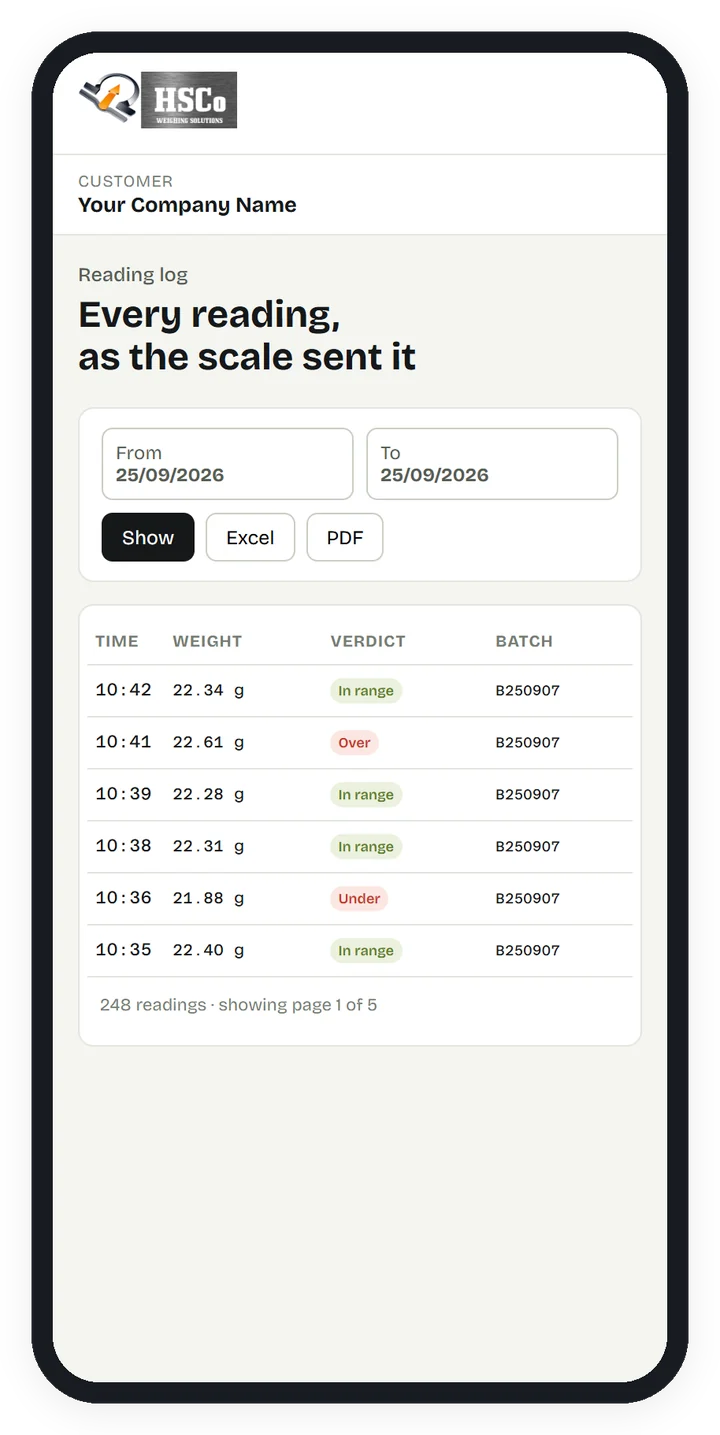
A dated record of every weighing
The portal keeps a log of every weighing with its date and time. You can open this record in your phone’s browser as well as on a computer or tablet.
Sample data
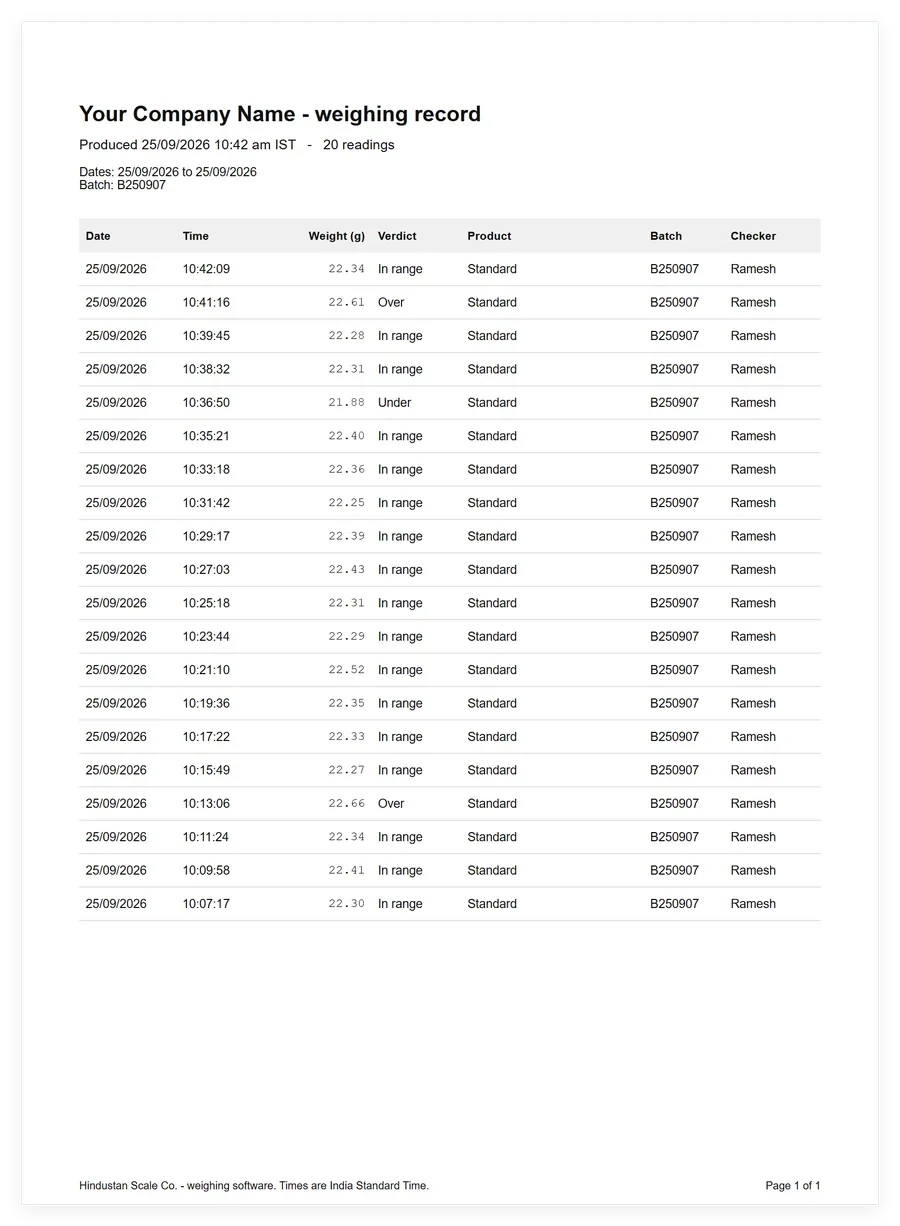
Daily reports in Excel or PDF
Download the day’s weighing records as an Excel file or a PDF report. Excel when you want to work on the numbers; PDF when you want to send someone the day’s record.
Sample data
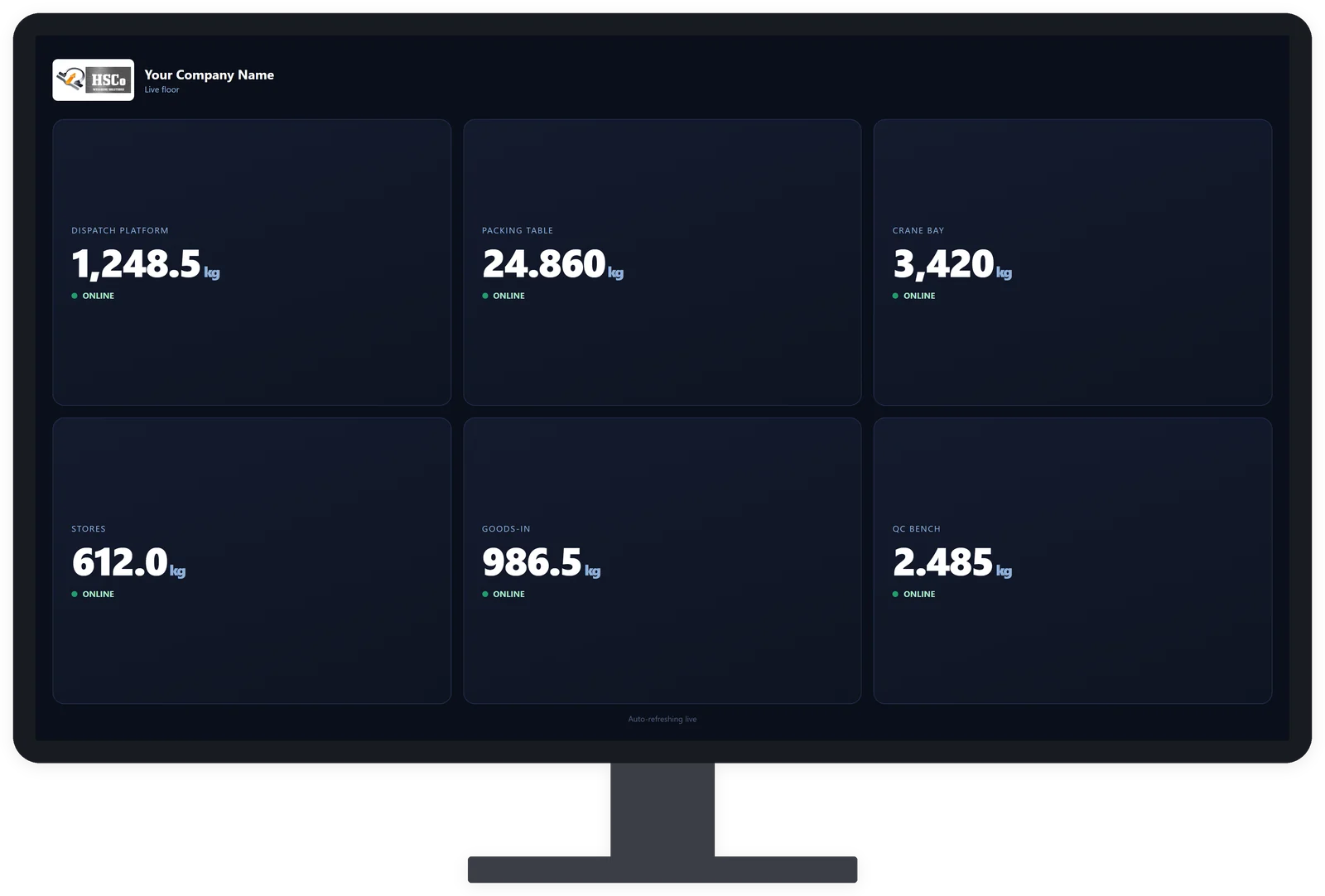
Several scales on one screen
View several scales together on one screen. Each customer signs in to see only their own data.
A pouch-checking system we have delivered
We built and delivered a system for a food ingredients company. The scale checks each pouch against a weight window (the lower and upper acceptable weights) and sends every reading to the customer’s private web page. The system is in use.
What to check before ordering
Each scale needs Wi-Fi with internet where it stands.
- Scales and locations: how many scales, and where each one stands.
- What is weighed: describe the items or materials weighed at each scale.
- Pass/fail limits: specify the acceptable weight range for each weighing task.
- Daily reports: identify who needs the report and whether they need Excel or PDF.
- Your own system: if readings must go into your own software, tell us which one.
For the weighing equipment, see our scale with Wi-Fi connectivity or the Wi-Fi add-on for an existing scale. Compatibility with an existing scale needs to be checked before ordering.
When another option fits your work
- One scale beside a PC: WeighDisplay Pro displays the weight on a connected Windows PC and saves readings.
- Weight on a phone beside the scale, without internet: see our weighing apps for an option suited to local use.
- Weight straight into Tally or SAP: see our billing and ERP integration page. ERP means enterprise resource planning, the software a business uses to manage its operations.
Arrange a portal demo
Our software is customised and licensed for your business, with lifetime updates. Price on request. We offer a live demo so you can see the portal before ordering.
WhatsApp +91-7045922250 for a portal demo. Send how many scales you have and where they are, what each weighs, the pass/fail limits, who needs the daily report and whether readings must go into your own system.