
HSCo POS takes the weight straight from your weighing scale onto the bill, which is printed on a thermal printer. It suits sweet shops, dry fruit shops, grocery shops and similar counters that sell by weight. You do not have to copy each weight from the scale display into the bill.

Put the sweets on the scale and pick the item: the line appears on the bill with its weight and amount. Press Cash or UPI and the bill prints.

Bills, stock, purchases and sales reports are in one program. HSCo POS is in use with customers, with Windows, Android and web versions available.

Handle the sale from weighing to the printed bill

The bill can include Goods and Services Tax (GST) and discounts. You can hold a bill and return to it later, and use cash, Unified Payments Interface (UPI), card or credit as the payment option.

For a counter that currently bills by hand or types the scale reading into another program, direct weight entry removes that copying step. Holding a bill also lets you return to an unfinished sale.
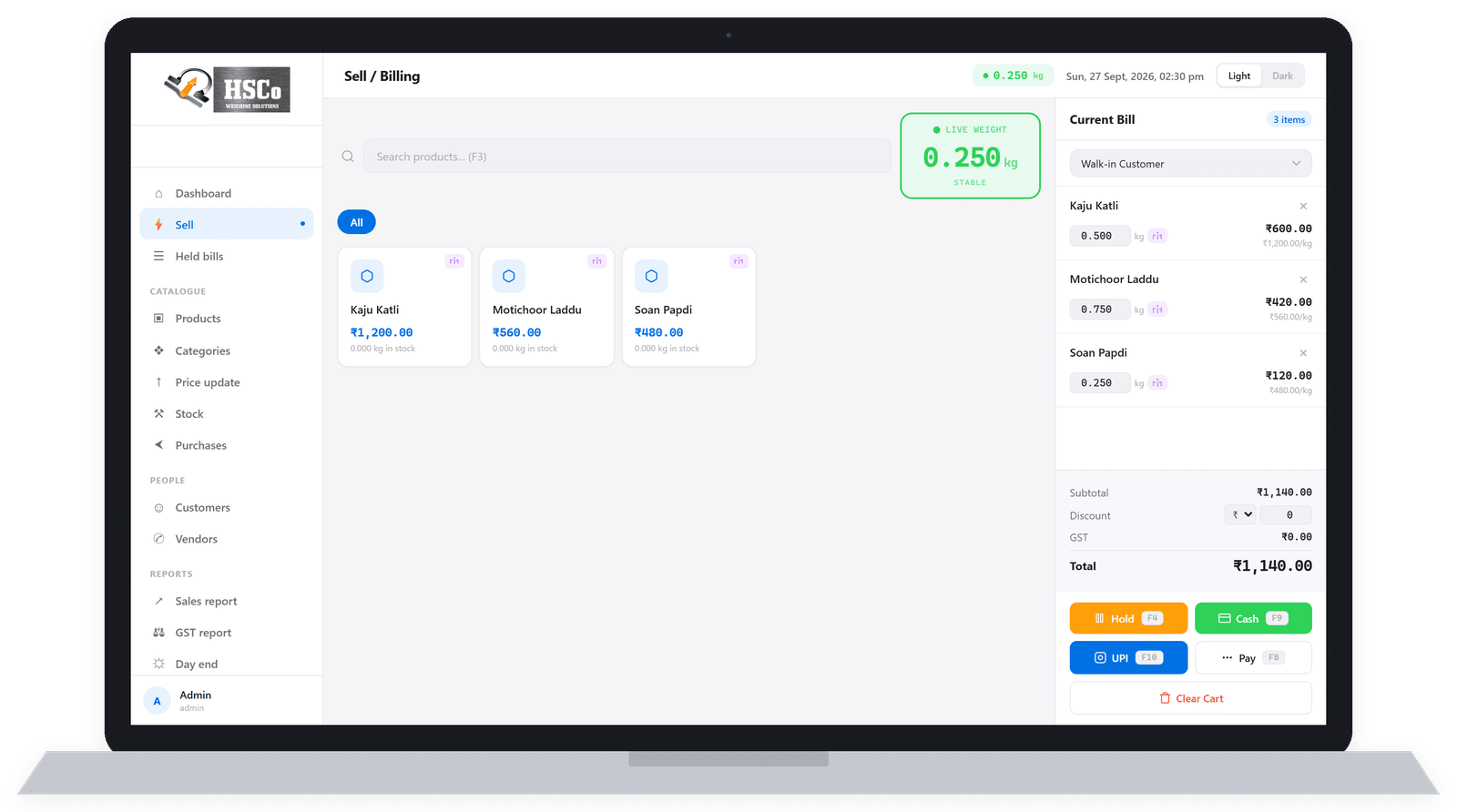
HSCo POS Windows sale screen with sample data

Sample data

HSCo POS printed bill with sample data

Sample data

Keep the counter’s records in the billing software

The following features are available in both the Windows and Android versions.

Products, stock and purchases

Maintain products and categories, stock and purchases in HSCo POS. Stock and purchases live in the same program as the bills, not in a separate book.

Customers, vendors and expenses

Keep customer and vendor records, and record expenses in the program alongside your billing work.

Sales reports and staff logins

Sales reports show what was sold. Each member of staff has their own login.

Scale and printer setup

The software includes scale and printer setup. Before ordering, we need to check the scale and printer you intend to use.

Choose the version for your counter

HSCo POS is available for Windows, Android and the web. The Windows version also includes a GST report, a day-end report, bulk price updates and backup and restore.

If you currently prepare end-of-day totals by hand, ask to see the Windows day-end report during the demo. Send what you sell and how you bill, the number of counters, a photo of your scale, your printer details if you have one, and your preferred version.

We check your scale, printer and computer or phone with you before you order.

If you need a printer, see our HSCo thermal printer.

Check which system fits the job

You can also explore our weighing software and custom app development.

Request a live HSCo POS demo

Price on request. We customise and license the software for your business. Our apps come with lifetime updates and are not sold through app stores. We show it to you live before you order.

WhatsApp +91-7045922250 for a live demo. Send:

  • What you sell and how you currently weigh and bill it.
  • How many counters you have.
  • A photo of your scale, including its display.
  • Your printer details, if you already have one.
  • Windows or Android. Ask us about the web version.