
Crane Scale Jumbo Display: When the Whole Bay Needs to See the Weight
If three people need the number, put it on the wall.
A crane scale carries its own display on the hook — small digits, a few metres up, swinging with the load. That suits one rigger standing where he should not be. It is useless to the operator in the cab, the loader beyond the coil and the supervisor at the door. A crane scale jumbo display is the fix: a wall-mounted readout with 100 mm digits, fed from the crane indicator, that shows every person in the bay the same weight at the same moment. Below: how far it can really be read, where to mount it, how it is fed, and when it beats a hand-held.
Why three people end up standing under a hook
Every crane bay has the same argument. The operator wants the weight before he lifts. The loader wants it for the challan. The supervisor wants it to stop an overload. The number exists — on the hook — and each of them walks closer to read it.
That is precisely where nobody should be. The Indian code of practice for the safe use of cranes, IS 13367 (Part 1), says all persons should stand clear of the load being lifted, and adds that the weight of a load must be known with reasonable accuracy before it is lifted. The US crane rule, OSHA 29 CFR 1910.179, tells the operator to avoid carrying loads over people and forbids any movement while anyone is on the load or the hook. Two regulators, two countries, one instruction: know the weight, and keep people away from it.
US government data for 2011–2017 records 297 crane-related deaths — about 42 a year. Just over half were people struck by an object or equipment; 79 were struck by something falling from, or moved by, a crane. One country’s figures, not a universal rate — but the pattern is the one every safety officer knows: crane work kills by struck-by, and struck-by happens close to the load.
A display on the wall removes the reason to go close. The reading lives where the people already stand.
How far away can a crane scale jumbo display be read?
Farther than a hook display, and much less far than the brochure’s “range” suggests.
Digit size is set by the farthest person who has to read it, and there is proper arithmetic for it. Two human-factors standards written for control rooms — the US nuclear regulator’s NUREG-0700 and the FAA’s Human Factors Design Standard, itself built on the US military’s MIL-STD-1472 — put the minimum character height at about 15–16 minutes of arc of visual angle, with 20–22 minutes preferred.
Turn the angle into metres and the table writes itself. The figures are arithmetic from the standards’ multipliers, stated as bands, not quoted limits:
| Digit height | Comfortable reading (about 20 arc-min) | Legibility limit (about 15–16 arc-min) |
|---|---|---|
| 20 mm (a desk-top remote display) | about 3.3 m | about 4.3–5 m |
| 50 mm | about 8.5 m | about 11–12.5 m |
| 100 mm (a 4-inch jumbo display) | about 17 m | about 21–25 m |
The sign trade’s rule of thumb — roughly 25 mm of letter height for every 3 m of comfortable reading — is more conservative and lands a 100 mm digit at about 12 m. Indicative figures, but they agree: a 100 mm digit is comfortable across a typical bay of 15–17 m and at its limit across 20-odd metres. Beyond that you need bigger digits, not a longer cable.
Now the trap. Product pages — Hindustan Scale Company’s included — quote a “range” for each display: 20 m for the jumbo display’s wireless link, 200 m for the remote display, 30 m for the hand-held. That is the radio link: how far the display can sit from the indicator and still receive the number. It says nothing about how far a person can stand from the display and read it. A 20 mm remote display with a 200 m link is a desk instrument that reads at about 3 m. Plan the two distances separately; the second one decides the digit size.

Where it goes on the wall
The same standards say when a shared large display is the right choice, and they could have been written for a crane bay. Use one, says the FAA standard, when more than one person needs the same information, or when a team moves about and still needs it. Do not use one where distance, angle, obstructions or ambient light stop everyone getting a clear look. From there, five siting rules:
- Mount it for the farthest reader. Size the digits from the maximum viewing distance — the operator’s cab, not the loading table.
- Keep traffic out of the line of sight. A display a fork-lift blocks twice an hour is a display nobody trusts.
- Nobody too close, either. No viewer should be nearer than half the display’s width or height; the digits stop resolving as a number.
- Face it towards the group. Viewers should sit within 30 degrees of the display’s centre line — 20 degrees preferred, 10 degrees for a single fixed viewer — and the face should not tilt more than 45 degrees from the line of sight.
- Mind the light. The Indian and European lighting codes light a foundry, steel-making or loading bay to only about 150–300 lux. Full daylight through an open bay door is 10,000–25,000 lux, direct sun 32,000–100,000 lux — thirty to several hundred times brighter. A display that reads well deep in the bay can wash out beside the door. Mount it on a wall the sun never reaches, and choose the digit colour for the background it sits against.

Feeding it from the indicator
A jumbo display does not weigh anything. It repeats what the crane indicator — the receiver box that talks to the scale on the hook — already knows. How the number travels from indicator to wall is decided by the distance between them.
- A wireless link carries the reading to a wall display up to about 20 m from the indicator with no cable at all.
- A plain serial cable (RS-232) — the port most crane indicators carry — is good for roughly 15–20 m; the interface standard limits the load the port can drive.
- An RS-485 line, where the indicator offers one, runs to about 1,200 m and can feed up to 32 devices on one pair, so one indicator can feed both ends of a long shed.
Whichever link you use, weighing law is strict about what arrives. Under OIML R 76-1 a secondary display may only repeat the primary indication; the digital displays and printers of one instrument must agree exactly — zero difference, not “within tolerance”; a stale reading may not linger more than one second after the load changes; and the interface feeding a peripheral must not be able to alter the result. The US NIST Handbook 44 says it in one line: all digital values of like value in a system agree with one another. Ask any supplier to show you the wall, the indicator and the printer agreeing at the same instant. If they do not, the display is a decoration.

What a jumbo display is not
It is not the legal reading. The stamped primary indication on the indicator remains the weight of record; the wall display is a faithful copy of it, never the thing that “corrects” it.
It is not a fix for a blocked line of sight. If a gantry leg or a parked truck hides the wall from half the bay, a bigger display does not help. Move it, or add a second one.
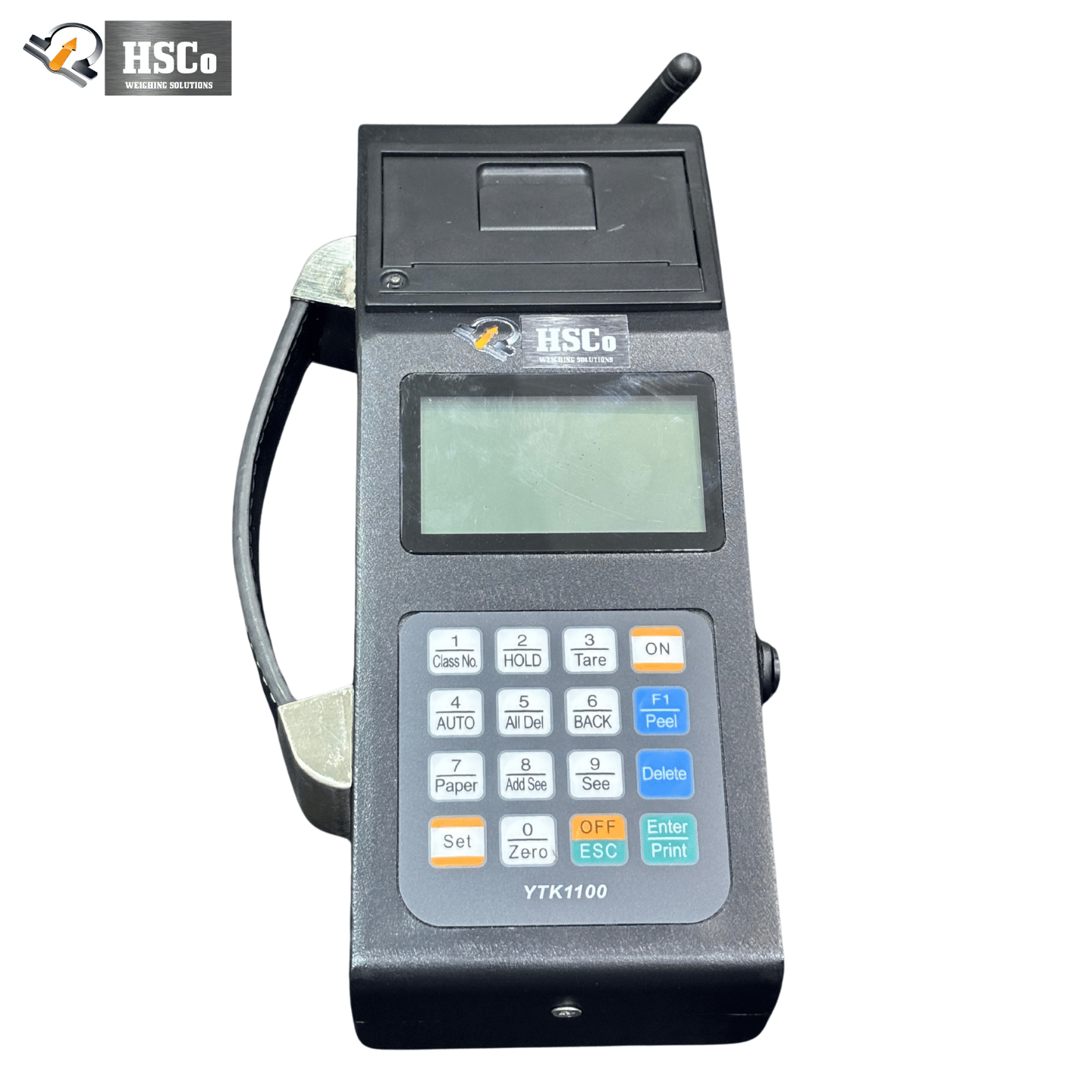
It is not a substitute for the hand-held when one person walks with the load. A supervisor who follows the coil from truck to stack and wants the weight printed as he goes needs a hand-held: HSCo’s stores up to 1,000 records, links to the indicator at up to 30 m and prints on an inkless thermal printer. The wall display is for the people who stay put.
It is not a 200 m readout. That figure belongs to the link, as above.
On HSCo’s CRH crane scales — 1 t to 10 t as standard, up to 50 t on request, indicative price band ₹14,500–26,500 for the scale, before GST — the jumbo display is an option with 4-inch (about 100 mm) digits in red or green. The 20 mm remote display, the hand-held, Bluetooth, RS-232 and USB outputs and about 40 hours of battery per charge are on the same electronic crane scale CRH page.
What changes on Monday morning
- Nobody walks under the hook to read a number. The operator lifts knowing the weight, as IS 13367 asks — from the cab.
- Three people see one number. Cab, loading table and door read the same digits at the same second. No shouted figures, no “what did you get?”.
- Overloads are caught before the lift, not after. The supervisor at the door watches the weight climb as the slings take it.
- The challan is written from the wall, not from memory. The loader copies the figure he can see, at the moment it is stable.
Put a rough number on it: 60 lifts a shift, a 20 m walk each way to the hook, and one person walks over two kilometres a shift beside a suspended load — the one place both codes say nobody should be. The walking is an illustration; the exposure is not.
How to start: one bay, thirty days
- Pick one bay — the one where the loader most often walks to the hook.
- Stand where the farthest reader stands, measure the distance, and size the digits from the table above. Past 17 m, ask for bigger digits, not a longer link.
- Choose the wall: no traffic in the line of sight, no sun on the face, every reader within 30 degrees.
- Choose the feed: wireless within 20 m of the indicator; RS-232 for a short cable; RS-485 beyond that.
- On day one, check that the wall, the indicator and the printer show the same weight. Then count for thirty days: walks to the hook, disputed weights, overloads stopped before the lift.
Hindustan Scale Company has built weighing scales in Mumbai since 1955 and makes the crane scale, the indicator and the wall display itself, so one supplier answers for the whole chain. The full range is on the crane scales page; for the basics, see what is a crane scale and the crane scale buying guide.
Frequently asked questions
What is a crane scale jumbo display?
A wall-mounted large-digit readout — typically 100 mm (4-inch) digits in red or green — that repeats the weight from the crane indicator so everyone in the bay can read it without approaching the load. It does not weigh; it displays.
How far can a 4-inch (100 mm) digit be read?
Using the visual-angle rules in the human-factors standards, a 100 mm digit reads comfortably at about 17 m and at the limit at about 21–25 m. The sign trade’s rule of thumb is more conservative, about 12 m. Plan from the farthest reader, not the average one.
Is the “20 m range” the reading distance?
No. Range is the radio link between the indicator and the display — how far apart the two boxes can be. Reading distance depends only on digit height. A 20 mm remote display with a 200 m link is read from about 3 m.
Red or green digits — which is better?
Both are high-intensity LEDs; the choice is about the background. Pick the colour that contrasts most with the wall and the light behind it, and mount the display where daylight does not fall on its face — an open bay door can be a hundred times brighter than the bay’s own lighting.
Can the wall display show a different weight from the indicator?
It must not. Weighing law (OIML R 76-1 and NIST Handbook 44) requires every digital display and printer on one instrument to agree exactly, and a secondary display may only repeat the primary indication. If the two ever differ, stop and call service.
Jumbo display or hand-held — which should I buy?
Jumbo if the readers stay in fixed places — cab, loading table, door — and more than one of them needs the number. Hand-held if one person moves with the load and wants a printed record; HSCo’s hand-held stores 1,000 records and prints on the spot. Many bays use both.
Next step
Tell us how far your farthest reader stands from the hook, and we will size the display and propose a thirty-day pilot in one bay.
Hindustan Scale Company (HSCo) · Mumbai · est. 1955 · www.hindustanscale.com · hsc@hindustanscale.com
Sources
- US Nuclear Regulatory Commission — NUREG-0700 Rev 3, Human-System Interface Design Review Guidelines (2020): guideline 1.3.1-4 (character height 16 arc-min minimum, 20–22 preferred); Table 12.5 (height = viewing distance × 0.004 minimum, × 0.006 preferred); 12.1.1.3.1-3 (viewing angles); 12.1.1.3.2-1 (group-view text sized from the maximum viewing distance).
- US FAA — Human Factors Design Standard HF-STD-001, Chapter 5 Displays and Printers (2003, from MIL-STD-1472F): 5.6.1 (at least 15 arc-min); 5.7.1.1–5.7.1.4 (when to use a group display; half-width distance; traffic); 5.7.2.4–5.7.2.5 (30/20/10 degrees); 5.1.2.7 (45-degree tilt).
- US Access Board — 2010 ADA Standards, 703.5.5 Visual Character Height.
- Sign-trade letter-height charts (Pannier Graphics, 2025; Houston Sign Company, 2024) and FHWA MUTCD 2009, Section 2A.13 — rule-of-thumb and threshold figures, illustrative only.
- OIML R 76-1:2006 — Non-automatic weighing instruments, Part 1: clauses 3.6.3, 4.2.1, 4.4.1, 5.3.6 and T.2.2.6.
- NIST Handbook 44 (2026) — General Code G-S.5.1 and G-S.5.2.2(a); Scales code T.N.3.4 and T.N.4.
- Bureau of Indian Standards — IS 13367 (Part 1):1992, Safe use of cranes — Code of practice, clauses 13.3 and 17.1.1.
- US OSHA — 29 CFR 1910.179, Overhead and gantry cranes, paragraph (n)(3)(v)–(vi).
- US Bureau of Labor Statistics — Fatal occupational injuries involving cranes, 2011–17 (CFOI fact sheet, 2019). Single source; US figures only.
- Bureau of Indian Standards — IS 3646 (Part 1):1992, Code of practice for interior illumination, Table 1; EN 12464-1/-2 values as tabulated in Zumtobel, The Lighting Handbook (2018); daylight illuminance from Wikipedia “Lux” and The Engineering ToolBox.
- Texas Instruments — application notes SLLA037A, Interface Circuits for TIA/EIA-232-F (2002) and SLLA070D, RS-422 and RS-485 Standards Overview (2010); Wikipedia RS-232 / RS-485 (citing TIA/EIA-232-F and TIA-485).
- Hindustan Scale Company — Electronic Crane Scale CRH product page (2026): jumbo, remote and hand-held display specifications; indicative prices before GST.