
Live readings and weight alerts on Weight Connect Lite
What this video shows
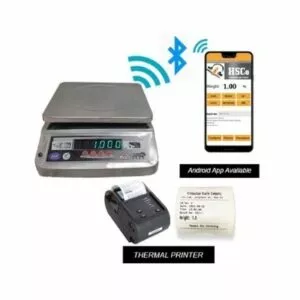
A Smart Wi-Fi scale sends a live weight reading to the Weight Connect Lite dashboard. The demonstration shows the reading on the scale and on the screen, then uses the quality module to show alerts against lower and upper weight limits. With limits set at 200 g and 600 g, the example shows red below the lower limit, green at 500 g and yellow above the upper limit.
The dashboard tour also includes a savings calculator, a view of multiple scales, and audit records that can be exported as CSV or printed. The scale shown is a table top example; the video also discusses connecting other scale types.
Steps in the video
- Open the quality module.
- Set the lower limit to 200 g and the upper limit to 600 g.
- Place a weight below 200 g on the scale and observe the red alert.
- Place a 500 g weight on the scale and observe the green alert.
- Increase the weight above 600 g and observe the yellow alert.
The scale in this video
More videos like this



Questions about this scale? WhatsApp or call +91-7045922250 (sales) or +91-7045922206 (service), or write to hsc@hindustanscale.com.